

 WordPress & YOOtheme Pro
 WooCommerce Development
 Website Planning
 Website Ownership & Access
 Website Support & Growth
 Website Launch Checklist
WordPress Server Setup: Choose the Environment, Then Build a Working Baseline
A WordPress server should fit the website’s workload and the people responsible for maintaining it. The cheapest instance, the largest RAM number, and a provider’s WordPress label are not enough to make that decision.
My main working arrangement is a separate server for the client, usually at Hetzner, with Linux and FASTPANEL. For US projects, DigitalOcean and Vultr are additional providers to evaluate. The process below explains how to select an appropriate environment, configure the site, and verify that it can operate beyond the initial installation.
This is the server layer of the website infrastructure guide. Domain registration, email, detailed caching, and recovery each have their own connected guide.
Describe the workload before selecting a plan
Map WordPress functions, storage, and background tasks
Identify the type of website and the operations it must perform. A content site with mostly anonymous visitors behaves differently from a store with carts, account sessions, imports, and scheduled processing.
Record the approximate content and media volume, expected dynamic functions, integrations, background tasks, and the administrative work that must run alongside public traffic. Allow for database growth, logs, backup creation, and temporary files. Storage that appears sufficient for the live site may be insufficient when an archive is being built.
Size the server for production work, not installation minimums
Plan an initial capacity with room for ordinary operations, then monitor the actual workload. There is no reliable universal conversion from a visitor count to a server size: caching, plugins, queries, and concurrent dynamic requests change the resource demand.
The panel’s installation minimum is not a recommendation for a production store. A server that can boot the panel may still have too little memory or disk capacity for the application and its maintenance tasks.
Compare providers for the actual US project
Compare Hetzner, DigitalOcean, and Vultr instance requirements
| Provider | Why include it in the shortlist | What to verify for the chosen instance |
|---|---|---|
| Hetzner Cloud | My usual provider; US cloud locations include Ashburn and Hillsboro | Available server family in that region, CPU architecture, IP charges, traffic, backup and recovery options |
| DigitalOcean Droplets | An alternative with documented US regions and Linux virtual-machine products | Region-specific plan availability, clean OS image, resource model, recovery console, backups, and total cost |
| Vultr cloud compute | Another candidate when comparing regional placement and compute choices | Current region and plan availability, supported OS/architecture, administrative access, network allowance, and recovery options |
Use the providers’ current information rather than a permanent price chart: Hetzner locations, DigitalOcean regional availability, and Vultr region listing.
The alternatives in this table are candidates, not an assertion that I have run identical production workloads on all three. A valid comparison should use the same requirements and current quotes. Do not describe one provider as faster without a relevant test.
Choose the origin region for your audience
For US visitors, choose an origin location based on the audience and the dynamic work. Cloudflare can help deliver cached resources, but uncached requests still depend on the origin. A CDN does not make origin placement irrelevant.
Compare the complete monthly commitment
Calculate compute, IP, storage, and backup costs
Include the instance, public IP costs where separate, storage, backup retention, outbound transfer conditions, software subscriptions, and administration. Identify which items are optional and which the proposed recovery plan requires.
Hetzner’s server documentation distinguishes compute pricing from public IP costs. Other providers package resources differently, so comparing only the headline compute figure can be misleading. Hetzner server overview
Confirm client ownership and server management responsibility
Keep accounts under the client’s control and document billing. A separate client VPS means a separate virtual environment; it does not necessarily mean dedicated physical CPU resources, and it does not create automatic failover.
If the owner does not want to take on server operations or pay someone to perform them, consider whether a managed product better fits the project. The administration responsibility should be visible before ordering an unmanaged server.
Prepare a clean, supported installation
Check Linux version, architecture, and FASTPANEL compatibility
Check FASTPANEL’s current requirements against the exact OS version and architecture you intend to deploy. Choose an OS still receiving appropriate security maintenance; appearing in a compatibility list is not by itself a reason to use an obsolete release.
FASTPANEL requires a clean operating system and root access. Do not run the installer over an existing website stack as an experiment. Back up or migrate existing work through a separate plan. Use the current official installation instructions rather than copying an old installation command from a blog. FASTPANEL installation
Install FASTPANEL and verify administrative access
Establish owner access to the provider console and recovery environment first. Update the clean OS as instructed, install the panel, and store the resulting credentials securely. Configure the administrative address and HTTPS, then verify a second working access route before tightening restrictions.
Provider compatibility follows these instance-level requirements. A provider’s brand name does not guarantee that every image, ARM plan, or managed product can run the selected panel.

Create the site and choose the PHP handler deliberately
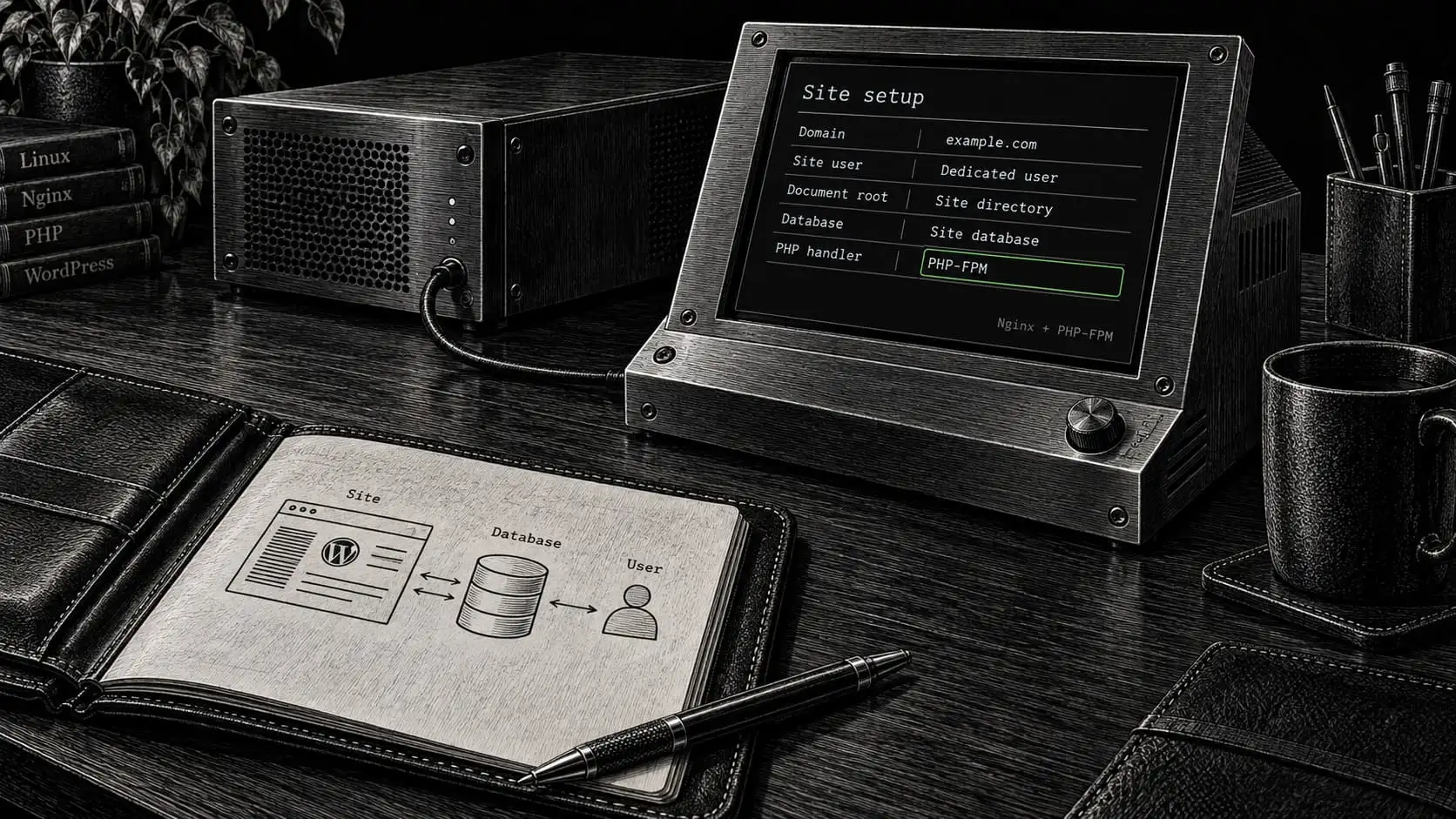
Create the site user, document root, and database
Create the website under an appropriate site user. Configure the intended hostname and document root, then establish a database and a database user limited to the required application scope.
Select a PHP version compatible with the maintained WordPress, theme, and plugin combination. Use the installed application’s requirements to determine extensions and limits, then test the actual site. Raising every limit to its maximum is not a substitute for understanding an import, upload, or memory failure.
Choose PHP-FPM and preserve panel-managed configuration
FASTPANEL supports different PHP modes. In its PHP-FPM arrangement, Nginx fronts the PHP backend. That matters because .htaccess instructions written for Apache are not applied by Nginx. FASTPANEL PHP mode documentation
Confirm where the panel expects custom configuration to live. Preserve panel-managed files through supported methods, and record any modifications outside the interface. Otherwise a later panel operation may regenerate configuration and remove an undocumented edit.
Establish HTTPS and a plain working site
Verify the hostname, HTTPS, and WordPress URLs
Configure the origin to serve the correct hostname over HTTPS. Verify WordPress’s public addresses, media URLs, and the preferred hostname before adding complex redirects or caching rules.
Test WordPress functions before adding caching
Test basic operations: load a page, save content, upload a permitted media file, follow a normal permalink, and submit a test form through the selected sending route. Check logs for failures rather than relying only on the dashboard’s appearance.
When Cloudflare is added, verify the origin connection separately from the edge certificate. The Cloudflare guide explains this distinction and the requirements for Full (strict).
Establishing this uncached baseline gives you something meaningful to compare when introducing Nginx, Redis, and browser caching.

Account for background work
Plan scheduled publishing, backups, and integration jobs
Identify the tasks that must run without an administrator opening the website: scheduled publishing, backup jobs, store processing, and integration tasks where used.
WordPress’s default scheduling is normally triggered by page requests. If the project needs a server scheduler to trigger application work reliably, configure and verify that replacement before disabling the default trigger. WordPress provides guidance for connecting its scheduled work to the system scheduler. WordPress system scheduling
Verify the scheduler environment and avoid overlapping jobs
Check the user, working directory, PHP environment, frequency, overlap behavior, and output handling of scheduled commands. A task that works in an administrator’s shell may fail under a different scheduled environment.
Avoid launching resource-heavy imports and backups at the same moment without considering their combined demand. Record failed jobs somewhere the maintainer will actually review.
Set access, logs, and service boundaries
Restrict administration and internal services without losing access
Keep public web services reachable while limiting administration and internal services to the required paths. The database and Redis generally do not need unrestricted public access for a single-server WordPress site.
Retain working console or rescue access before changing firewall or SSH settings. Use individual credentials where possible, and document the purpose of each exposed service. Detailed controls belong in the security guide.
Rotate logs and monitor temporary storage
Configure log retention and rotation. Logs need enough history to diagnose problems without growing indefinitely. Also check temporary directories and backup workspaces, which can consume capacity outside the obvious website folder.
Verify capacity through actual operations
Run representative WordPress operations
Observe the server while it performs representative work: several ordinary page requests, a dynamic action, a content edit, and a backup or import appropriate to the project. Start with a controlled test rather than an aggressive production load test.
Check memory, CPU, and disk before resizing
Check available memory, swapping, CPU pressure, disk space, and relevant errors. If PHP workers consume too much memory, increasing their count can make the server less stable. If the database is slow, adding RAM may help some conditions while leaving an inefficient query unchanged.
Record a baseline and identify the condition that would justify resizing. The maintenance guide uses that baseline for diagnosis and future capacity decisions.
Finish with a recoverable handover
Record server configuration and owner access
Document the provider, region, OS, panel, PHP mode, important paths, database arrangement, custom configuration, and scheduled work. Keep credentials in the owner’s secure access system.
Verify independent backup access and assign maintenance
Prepare the backup and recovery plan and verify that the owner can reach the backup destination independently of the live server. A server screenshot showing “running” is not proof of recovery readiness.
Use the launch checklist to connect this environment with the content and inquiry tests. State who will maintain the server after delivery; I do not assume ongoing administration after an independent handover.
Frequently asked questions
Which provider is best for a small US WordPress site?
The answer depends on the region, workload, operating arrangement, and total cost. Hetzner is my main starting point; DigitalOcean and Vultr broaden the comparison. Select the instance that meets the requirements and can be maintained well, rather than ranking providers from headline prices.
Can FASTPANEL run on DigitalOcean or Vultr?
A suitable VPS can be evaluated against FASTPANEL’s requirements: administrative access, a clean supported OS, architecture, and resources. Verify the exact instance and image before ordering. This guide does not claim that every product at either provider is compatible.
Does installing the panel secure and optimize the whole website?
No. The application, access policy, mail, caching, backups, and operating processes still need deliberate configuration and testing. The panel is a management tool within that system.
How much RAM should I start with?
Budget for the OS, panel, database, PHP workload, any Redis allocation, and temporary maintenance work. A memory allocation that meets installation requirements may not fit production. Start from the actual application and adjust using measured behavior.
Is Redis mandatory?
No. It is useful when persistent object caching suits the workload and its memory and operational requirements are managed. Introducing it should follow a clear purpose and verification rather than a checklist of names.
Will the client receive server administration access?
For the client-controlled VPS arrangement, the owner retains the route to full administrative control and can authorize another maintainer. Daily editing does not require sharing server credentials with every WordPress user.
Have the server prepared for your website
Describe the site’s functions, expected audience, and current infrastructure. I can help select and configure the server, connect the application, and document the setup as part of a working WordPress project.