

 WordPress & YOOtheme Pro
 WooCommerce Development
 Website Planning
 Website Ownership & Access
 Website Support & Growth
 Website Launch Checklist
WordPress Robots.txt and XML Sitemaps: Use the Right Control for Each Job
Robots.txt and a sitemap are often configured together, but they answer different questions. One sets crawling rules for compliant crawlers. The other supplies a list of URLs. Neither file is a substitute for deciding which pages belong in search or protecting information that should remain private.
This guide explains those decisions, how to inspect what WordPress actually publishes, and how to verify a change. It extends the technical SEO guide with the details needed to avoid contradictory instructions.
Choose the mechanism from the desired outcome
Begin with the result you need, not a copied robots.txt template.
| Desired outcome | Mechanism to evaluate | Important distinction |
|---|---|---|
| Supply a list of public search destinations | XML sitemap | URL discovery does not establish indexing |
| Reduce crawling of a defined URL family | Robots.txt | A crawl restriction is not a reliable removal instruction |
| Keep an accessible page out of Google results | Page-level noindex | Google must be able to retrieve the instruction |
| Protect confidential content | Authentication and access controls | Search settings do not make content private |
| Consolidate equivalent page versions | Canonicalization or a relevant redirect | This is a relationship between URLs |
| Retire content that no longer exists | An appropriate removal response | Do not keep an empty success page merely to avoid an error report |
Google explains the distinction between crawl management and search exclusion in its robots.txt introduction, and recommends actual protection for private material in controlling what you share.
Write your intended behavior next to each page family before editing rules. A public buying guide and a private order record should never be treated as the same kind of exclusion problem.

Inspect the robots.txt served by the public hostname
Check the actual public robots.txt response
Open /robots.txt on the hostname used by the website. Save its current contents and response status. Check whether you receive a plain text file, a redirect, an access challenge, or an error.
Do this through the public website, not only the hosting file manager. The file visible to visitors may be generated by WordPress, replaced by a physical file, or modified by another layer. Editing an SEO-plugin field is useful only if that field controls the actual response.
Verify hostname scope and separate staging from production
Robots rules are scoped to their host, protocol, and port. A file on one subdomain does not automatically control another. Rule paths are case-sensitive. Google’s robots.txt specification documents matching and scope.
For a site with a staging subdomain, inspect production and staging separately. A successful edit on one does not establish the other is correct. Keep environment-specific controls out of a shared deployment process that could accidentally copy them into production.
Read a simple rule before adding complex patterns
This illustrative rule asks compliant crawlers not to request a particular public URL prefix:
User-agent: *
Disallow: /internal-search/
It does not create access protection, remove a page from Google’s index, or configure WordPress’s search feature. The path is an example; use only a path family that exists on your website and whose behavior you have decided.
Avoid starting with broad exclusions for all parameters, all uploads, or all plugin assets. First enumerate what those paths contain. A broad rule can catch useful content or resources needed to render the page.
For each proposed rule, create a small test list containing URLs that should match and URLs that must remain crawlable. Include similar prefixes, different parameter orders where relevant, and any explicit exceptions. The goal is to test the boundary, not just one convenient example.
Use noindex when the decision is search exclusion
Publish noindex where Google can retrieve it
For an accessible HTML page that should not appear in search, a page-level directive can express that decision:
<meta name="robots" content="noindex">
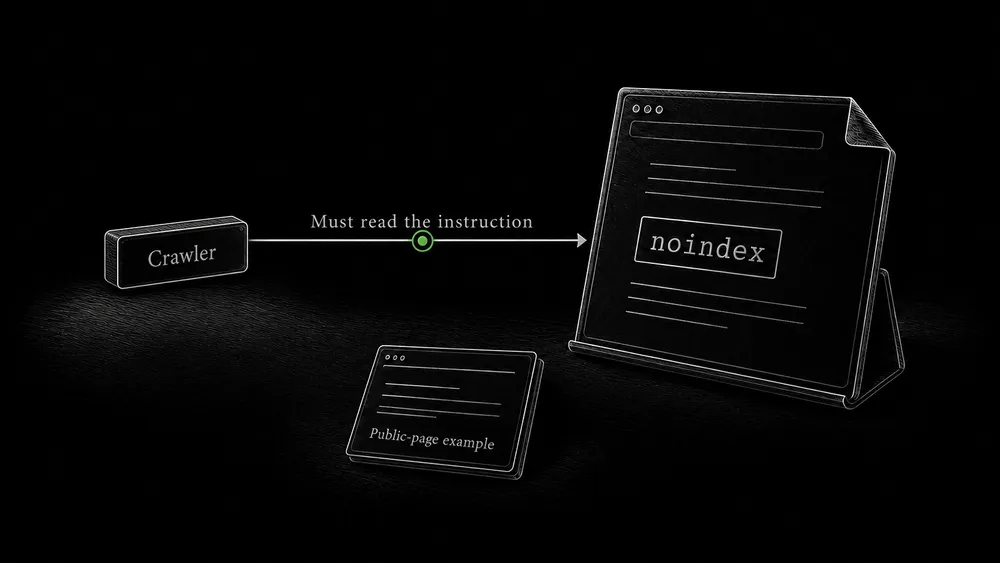
An X-Robots-Tag: noindex response header can serve the same purpose, including for non-HTML resources. Google does not support a noindex rule inside robots.txt. It must be able to crawl the resource to observe the directive. Google’s noindex instructions explain these conditions.
This creates a sequencing issue on an already indexed public URL. If you block crawling first, the crawler may never see the exclusion you added to the page. Decide how removal will be observed before tightening crawl restrictions.
Protect private content with access controls
For confidential information, protect access immediately rather than making private content public so a crawler can read a tag. Search removal and information security are related tasks with different controls.
Search Console’s Removals tool can temporarily hide an owned URL from search, but it requires an appropriate lasting action at the source. It is not a permanent privacy or content-management mechanism.
Find the active WordPress sitemap generator
Identify the active sitemap index and its generator
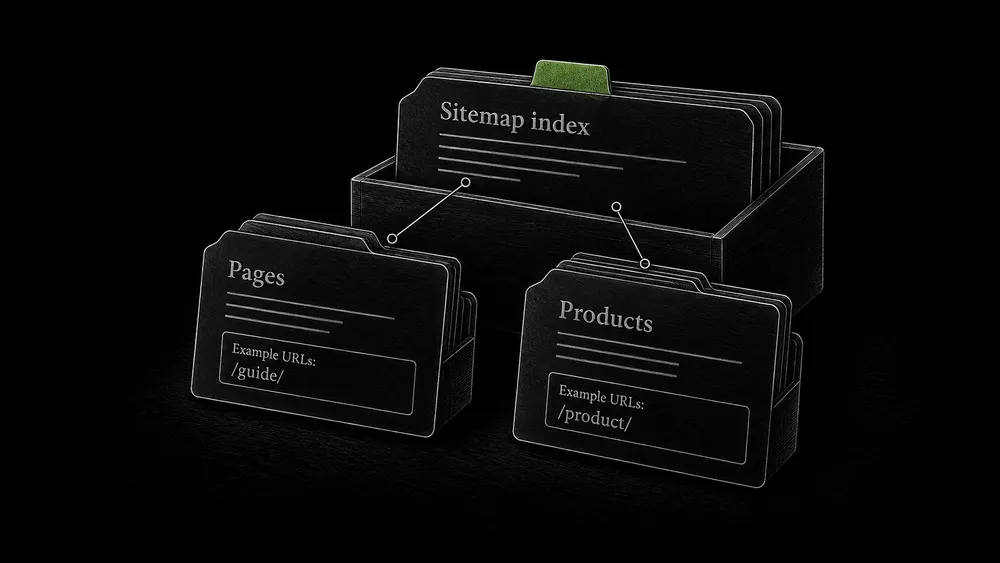
WordPress core supplies a sitemap system, including the /wp-sitemap.xml route. An SEO plugin can provide its own sitemap system instead. The WordPress sitemap class documentation describes the core implementation.
Identify which component is authoritative on your site. Record the actual sitemap index URL rather than assuming every installation uses the same filename. Then open its child sitemaps and inspect their contents.
Inspect sitemap contents and conflicting generation rules
The useful question is not whether a browser displays an attractive stylesheet around the XML. Check the URLs being supplied. Are the planned page types present? Are obsolete hostnames, staging URLs, or excluded content types still included? Does a newly published page enter the expected sitemap?
If two generators are active, compare their output before disabling anything. Multiple sitemap files are normal; conflicting generation rules are the problem. Keep one documented source of configuration for each intended sitemap set so future maintainers understand where to make changes.
Build a sitemap that reflects your search-facing inventory
List intended canonical URLs in valid sitemap files
Use complete absolute URLs for the versions you want in search. Large inventories must be split: Google documents limits of 50,000 URLs or 50 MB uncompressed per sitemap, with sitemap indexes available for grouping files. Google’s sitemap construction guide provides the format and submission rules.
The following is a minimal illustrative entry, not a complete inventory:
<?xml version="1.0" encoding="UTF-8"?>
<urlset xmlns="http://www.sitemaps.org/schemas/sitemap/0.9">
  <url>
    <loc>https://example.com/guides/website-planning/</loc>
  </url>
</urlset>
Test how publishing and URL changes update the sitemap
For a live WordPress site, automatic generation is usually easier to maintain than a manually edited list. Test the generation lifecycle: publish a page, change its URL through an approved process, and retire it. Verify how the active generator reflects each action.
As an operational consistency check, compare sitemap entries with redirects, exclusions, and canonical declarations. Investigate contradictions instead of adding every URL the application can produce. The canonical guide explains preferred versions; the WooCommerce guide addresses filters and catalog URLs.
Keep modification dates meaningful
If your generator supplies lastmod, it should represent a meaningful page update rather than the time the sitemap was requested. Google ignores priority and changefreq, and its old sitemap ping endpoint is deprecated. These details are explained in Google’s sitemap update guidance.
Test a page you have not edited alongside one you have substantially changed. If both receive a fresh timestamp on every request, inspect how the generator obtains its date. Do not manufacture daily freshness as an SEO tactic.
Submit the right file and interpret the response
Submit the active endpoint and check the reported read
Submit the sitemap or sitemap index in Search Console for the relevant property. You can also declare its absolute location in robots.txt:
Sitemap: https://example.com/wp-sitemap.xml
Replace the example with the site’s actual active endpoint. Keep the declaration synchronized if the generator changes.
Check the submitted URL, the last read information, and any reported error. A successful sitemap read establishes that Google processed the file; it does not mean all listed pages are indexed. The Sitemaps report documentation distinguishes file retrieval, parsing, and discovered pages.
Separate retrieval failures from XML parsing errors
If the file cannot be fetched, reproduce the request anonymously. Look for a wrong path, a server error, or an access rule. If retrieval works but parsing fails, inspect the response body for malformed XML, unexpected HTML, or output inserted before the sitemap content.
A child sitemap can fail while the index itself loads. Test both levels. Preserve the exact failing URL and response; a screenshot of the index alone will not help locate a child-file defect.
Change rules with a before-and-after test set
Preserve the existing rules and test both matching and allowed URLs
Before a production edit, retain the existing file or configuration and identify a way to restore it. Test the change in an appropriate environment when the rule affects a broad URL family.
After deployment, check:
- The public robots.txt contains the intended rules.
- Important positive-control URLs remain crawlable.
- Intended negative-control URLs match the proposed restriction.
- Relevant page-level directives remain accessible where needed.
- The sitemap index and child files return the intended inventory.
- Public output no longer reflects stale cached configuration.
Record follow-up observations and document rule purpose
Then inspect selected URLs through Google and record the observation date. Use the crawling and indexing guide for interpreting follow-up states.
Document the reason for every non-obvious rule. A note such as “excludes this generated filter family; selected category destinations remain available” is more useful than an unexplained pattern copied years ago. Review the rule when the application introduces new URLs in the same family.
Frequently asked questions
Do I need to copy a long WordPress robots.txt template?
No. Start with your site’s actual URL families and rendering needs. Every additional rule should have a purpose and a test. A complicated template can introduce restrictions that are irrelevant to your installation.
Can removing a page from the sitemap remove it from Google?
Do not use sitemap removal as a search-removal instruction. Google can know a URL through other sources. Decide whether the page should remain public, be excluded, redirect to a replacement, or be removed, then use the corresponding control.
Should all URLs in the sitemap appear in the navigation menu?
They need appropriate routes within the site, but not necessarily the top menu. Categories, hubs, pagination, and contextual links can provide those routes. A sitemap complements that structure.
Is it bad to have several child sitemaps?
No. Grouping URLs by content type or splitting a large inventory is normal. Check that the files are accessible and consistent, and that their generator reflects the intended publishing rules.
Why does Google still report a blocked or excluded page?
First compare the report date with the change date, then verify the current response and the exact matching rule. A known URL can continue to appear in reports even when its exclusion is intentional. The relevant question is whether the reported behavior matches your decision.
Can I hide WordPress administration by listing it in robots.txt?
That does not protect it. Use authentication and appropriate access controls. Robots.txt is publicly readable, so it should never be treated as a place to conceal sensitive paths or credentials.
Get the site’s crawling rules and sitemap aligned
If you are unsure which component controls these files, send the domain and describe the intended change. I can investigate the public output and help configure a consistent setup for the site’s actual content structure.