

 WordPress & YOOtheme Pro
 WooCommerce Development
 Website Planning
 Website Ownership & Access
 Website Support & Growth
 Website Launch Checklist
Duplicate Content and Canonical URLs: Decide Which Page Should Represent the Content
WordPress can make the same information available through several addresses. Tracking parameters may preserve an otherwise unchanged page. A migration may leave an old version live. A plugin may create alternative views of an archive. These situations need a clear URL policy, but they do not all need the same repair.
Start by comparing the pages themselves. Do they contain essentially the same main information, or do they answer different customer questions? The answer determines whether to consolidate the URLs, preserve both pages, or reconsider the content plan.
This guide develops the URL-management part of technical SEO. It covers the decisions behind canonical tags as well as the checks that establish whether an implementation is coherent.
Understand what a canonical declaration actually says
Understand a declared preference and Google’s selected URL
Canonicalization is Google’s selection of a representative URL from equivalent or very similar content. Ordinary duplication is not, by itself, a violation of Google’s spam policies. A declared preference can help, but Google can select a different version. Google’s canonicalization overview explains this distinction.
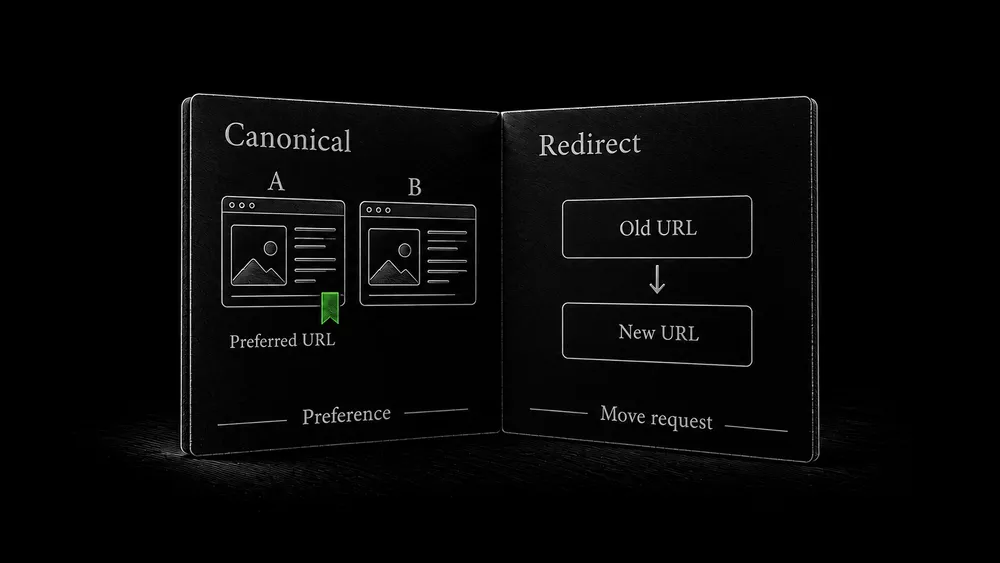
Distinguish canonical signals from redirects
A canonical tag does not move a visitor to another page. Both URLs can remain accessible. A redirect changes the destination of the request, so it serves a different operational purpose.
Before configuring either, write a plain-language decision: “These addresses show the same guide, and this is the version we maintain,” or “These pages answer different questions and both belong in search.” That sentence should make sense without reference to an SEO plugin.
Distinguish duplication from overlapping intent
Compare the questions and information each page provides
Two guides can share terminology and still be useful independently. A page about planning a website and a page about preparing it for launch may mention content, forms, and analytics. Their tasks, decisions, and completion criteria differ.
Conversely, two pages with different titles may repeat the same argument, instructions, and call to action. Giving each a self-referencing canonical does not create an independent reason for both to exist.
Decide whether to merge, differentiate, or preserve both pages
Use this comparison:
- What specific question brings the reader to each page?
- What information is unique to each answer?
- Can one page fully replace the other without losing a useful decision or procedure?
- Where should each sit in the site’s navigation and contextual links?
- Is the difference in the main content or only in the page title and introduction?
If the overlap is editorial, resolve it through the content plan. You may need to merge, differentiate, or reposition the articles. Keep that work connected to SEO content planning. Do not use canonical tags to conceal an unresolved decision about what the pages are for.
Choose a treatment for the relationship you find
| Relationship | Practical decision to make |
|---|---|
| An obsolete URL has a genuine replacement | Move visitors to the replacement and update your own links |
| Two useful addresses must remain accessible but show equivalent content | Choose the maintained representative and align canonical signals |
| A parameter changes only attribution | Preserve required measurement behavior while avoiding alternative search destinations |
| A filter produces a deliberately maintained category destination | Assess that page’s independent purpose rather than consolidating it automatically |
| Several pages repeat the same answer | Make an editorial merge or differentiation decision first |
| A page is private or administrative | Use appropriate exclusion and access controls, not canonicalization as privacy |
Treat the table as a decision aid. A parameter’s name is not enough to determine what it does. Test the resulting content and functionality before removing or redirecting it.
Google recommends consistent URL construction and avoiding unnecessary parameters. Its URL structure guidance also explains why case differences and uncontrolled generated URLs can matter.
Compare the declared preference with the rest of the site
Collect content, response, and canonical evidence side by side
For a duplicate pair, collect these observations side by side:
URL A / URL B
Main content and purpose:
Response and final destination:
Canonical declared in the response:
Relevant indexing directive:
URL used by navigation and contextual links:
URL supplied in the sitemap:
Google-selected canonical, if available:
Observation dates:
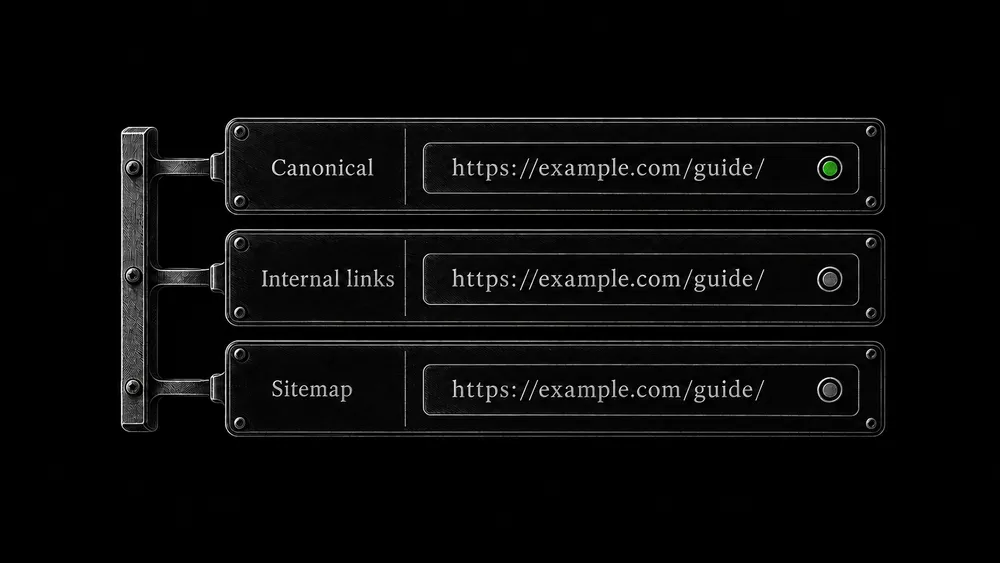
Then ask whether the website tells one consistent story. A page that declares one representative while its sitemap and main navigation promote another deserves investigation.
Find shared canonical mistakes and inspect the target page
Look for patterns across a page family. If all category pages declare the homepage as canonical, the likely task is to inspect the generator or template rather than manually override every category. If only one page differs, check its page-level setting and publishing history.
Inspect the declared target itself. A value can look plausible while pointing to a redirected, missing, or unrelated page. Follow the URL and compare the main content. Do not stop after confirming that a canonical element exists.
Implement a clear declaration at the right source
Use a valid canonical declaration with an absolute URL
An illustrative HTML declaration is:
<link rel="canonical" href="https://example.com/guides/website-planning/">
For HTML, place the declaration in a valid document head. Google recommends absolute URLs; an HTTP Link header is also available for supported documents such as PDFs. Redirects and canonical annotations provide stronger canonical signals than sitemap inclusion. Google’s canonical implementation guide describes the methods.
Identify the canonical generator and test its public output
In WordPress, first identify what already generates this output. Inspect the active SEO plugin, any theme-level code, and relevant custom functionality. Adding another generator without checking the existing output can create contradictory declarations.
Keep routine behavior at the appropriate shared level and reserve page-specific overrides for documented exceptions. After changing a setting, inspect the public response as a logged-out visitor. If JavaScript modifies the head, compare the rendered result too.
Use a test pair before applying a broad change. Verify the intended representative, an alternative, and an unrelated page. This tests both the desired consolidation and the boundary of the rule.
Investigate Google’s different choice as evidence
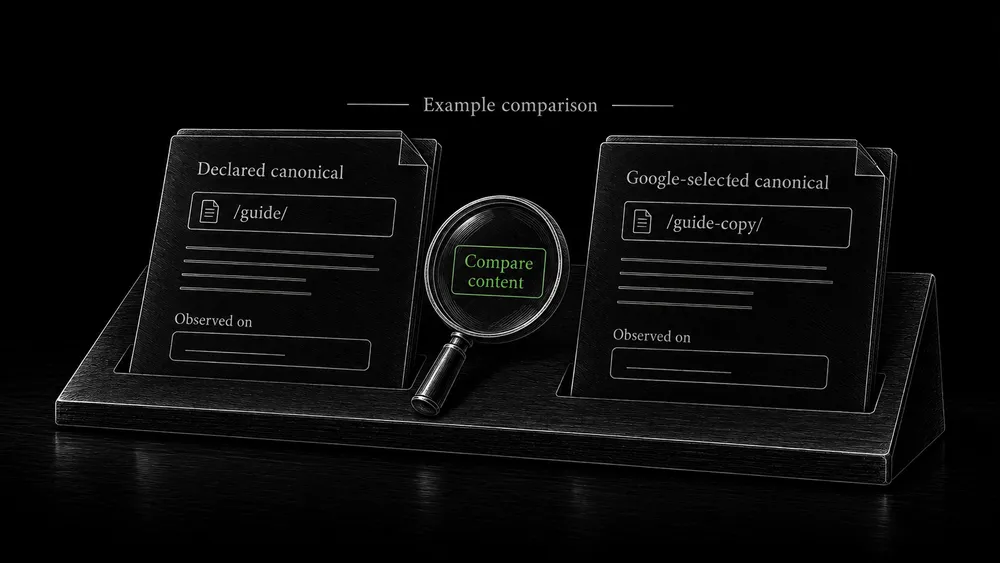
Compare declared and Google-selected canonicals with dates
When Search Console reports a different selected canonical, compare Google’s reported URL with the one you declared. Preserve the dates and inspect the current versions of both pages. Google’s recorded choice may relate to an earlier state of the website.
Develop a hypothesis from the actual difference. Perhaps the preferred page was inaccessible during a release, the alternative still carries the complete article, or the public navigation consistently uses the older address. These are possibilities to test, not automatic explanations.
Repair content and URL contradictions before retesting
Work from the largest contradiction to the smallest. Restoring the intended content and resolving a wrong destination is more meaningful than repeatedly saving an unchanged tag. After repair, check the current output and later inspect Google’s recorded decision through the crawling and indexing workflow.
If the two pages are meaningfully different, document those differences and strengthen the content structure where needed. Do not immediately rewrite the preferred URL to match Google’s alternative; first determine whether Google’s grouping makes sense for what you publish.
Handle common WordPress situations deliberately
Archives with substantially overlapping contents
A category, tag, date archive, and author archive can each list related articles. Decide which of these serves a useful visitor journey. Some may deserve distinct introductions and navigation; others may be unnecessary for the site’s search-facing structure.
Avoid a blanket rule that all archives must be indexed or all must be excluded. Test the site’s actual editorial model. A single-author service website and a multi-author publication do not have identical needs.
Tracking and campaign URLs
Load the parameterized URL and compare its main content with the clean URL. Check whether the parameter is used by analytics, a form, or another business process before adding redirects that strip it.
The intended outcome may be a clean representative in search while attribution still works for campaign visits. Include a measurement test in the implementation task, rather than judging success only from the new canonical value.
Alternative file formats
An HTML guide and its downloadable document may serve the same information in different formats. Decide which address should represent the content in search and whether the downloadable version genuinely corresponds to it. A short unrelated summary is not automatically the representative for every attached document.
Staging or copied installations
Check whether a copied site still exposes public pages and whether it contains production or staging URLs in generated output. A staging problem also requires proper access protection; declaring another canonical is not a substitute for controlling who can open the copy.
Pagination and translated content
Do not collapse all category pagination onto page one. Google advises a separate canonical for each paginated page. The sequence is addressed in its pagination guidance and the WooCommerce technical guide.
A genuine translation also needs its own language decision. Do not automatically point a complete Italian page to an English canonical just because both describe the same service. Google’s localized-version guidance explains how to connect language alternatives with hreflang.
Check consolidation without erasing useful behavior
Verify the representative URL and preserve useful functions
For an approved change, preserve the previous output and record the deployment. Then verify:
- The intended representative is accessible and contains the expected information.
- Equivalent alternatives follow the documented treatment.
- Internal links and sitemap entries use the intended destinations.
- Page-specific exceptions still behave correctly.
- Tracking, downloads, filters, and other relevant functions remain usable.
If the decision includes a URL move, use the redirect guide for mapping and response tests. If the issue involves unbounded filter combinations, use the robots and sitemap guide to assess crawl controls separately.
Document canonical policy for future imports and updates
Save the chosen policy with the website’s documentation. Future content imports and plugin changes should be checked against it. This makes canonicalization a maintained rule rather than a one-time plugin setting nobody remembers choosing.
Frequently asked questions
Is duplicate content always a penalty?
No. Ordinary duplicate versions occur naturally on websites. The practical work is to make their relationship clear and avoid unnecessary competing addresses. Deceptive or abusive content practices are a separate issue from routine URL duplication.
Is a missing canonical tag automatically an urgent error?
No. Google can select a representative without an explicit declaration. Investigate whether there is actual ambiguity or an undesirable selected version. A tool warning should lead to a page comparison, not an automatic emergency label.
Can a canonical tag solve keyword cannibalization?
It cannot create a sound content plan. When different pages compete because they repeat the same answer, decide whether to merge or differentiate them. When they are actual duplicate versions, canonicalization may be appropriate.
Should I redirect every parameter URL to its clean version?
Only after understanding the parameter’s function. It may affect a product selection, filter, attribution, or another useful state. Test the user journey and measurement behavior before applying a broad redirect.
Can I point all weak pages to my strongest page?
A canonical relationship needs equivalent or very similar content. It is not a general instruction to transfer the value of unrelated pages. Improve, merge, or retire weak pages according to their purpose and the information worth preserving.
How long does it take Google to change its selected canonical?
There is no project-controlled deadline. Verify your implementation first, then observe subsequent Google processing. Keep the live state and recorded selection separate so you can tell whether Google has encountered the changed pages.
Resolve conflicting URLs with a documented decision
Share the URLs you believe overlap and, if available, the alternative Google reports. I can help assess the relationship and plan the appropriate content or technical change for your WordPress site.