

 WordPress & YOOtheme Pro
 WooCommerce Development
 Website Planning
 Website Ownership & Access
 Website Support & Growth
 Website Launch Checklist
Technical SEO: Make Your Website Accessible, Understandable, and Ready for Search
A useful website can still lose opportunities before a potential customer reaches its content. A public page might inherit a setting intended for a draft. A category might exist in WordPress but have no links leading to it. An update might replace the main article with an empty layout on mobile. All three problems can look like “SEO is not working,” yet each requires a different investigation.
Technical SEO is the work of finding and resolving these obstacles: how search engines reach your pages, what those pages return, which versions should appear in search, and how reliably visitors can use them. For a WordPress business website or WooCommerce store, it connects the content plan to the system that actually publishes and delivers that content.
This guide explains how to assess that system, decide what deserves attention, and establish whether a repair worked. You can use it yourself, hand a specific finding to your developer, or ask me to help with implementation.
Start with the outcome each page is supposed to serve
Identify the pages that support customer decisions
Before opening an audit tool, identify the pages that matter to your business. These may include the main service explanations, purchasing guides, product categories, and individual products. Write down the question each page answers and the action a visitor can take after reading it.
This gives your technical work a reference point. A missing service page deserves investigation. An intentionally private account page being absent from search is expected. Treating both as the same “indexing error” creates unnecessary work and can expose pages that were never intended as search destinations.
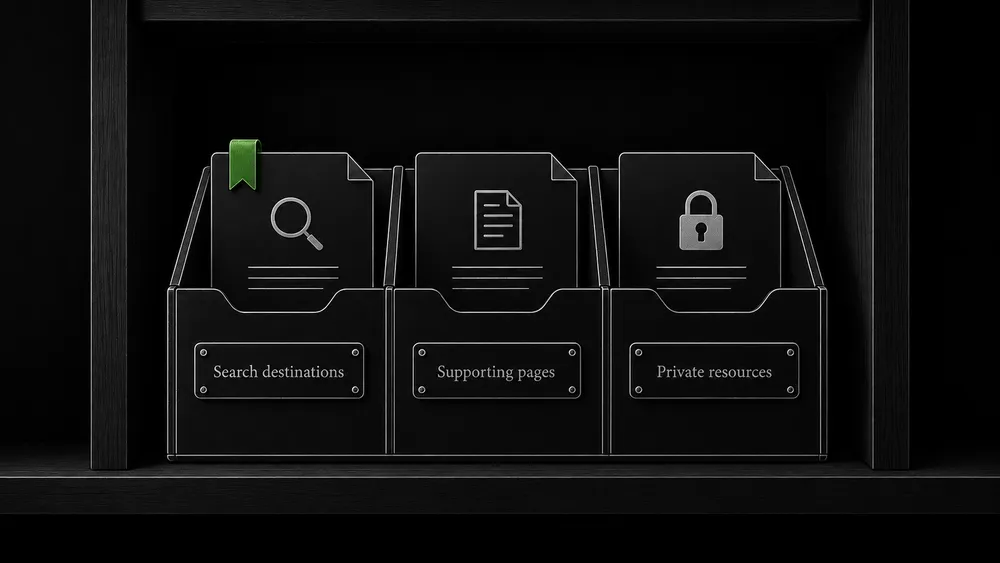
Separate search destinations, supporting pages, and private resources
Use three practical groups:
- Search destinations: public pages you want customers to discover through Google.
- Supporting public pages: pages needed for navigation or use of the website, whose search visibility is a separate decision.
- Private or restricted resources: customer information, administration, and other material that needs actual access controls.
Maintain this classification as the site grows. A new content type, filter, or plugin can introduce a whole family of URLs that was absent from the original plan. Decide what those URLs are for before applying a sitewide rule.
Understand where technical eligibility ends
Distinguish technical eligibility from indexing and traffic
Google’s minimum technical conditions concern access, a working response, and indexable content. Meeting those conditions makes a page eligible; it does not guarantee inclusion in the index. Google’s technical requirements are the starting point, not a promise of traffic.
There are also separate stages between publishing a page and receiving a visit. Google discovers and crawls URLs, processes content for indexing, and selects results for particular searches. A failure at one stage cannot be diagnosed from evidence about another. Google’s explanation of how Search works describes these stages.
Check page purpose, delivery, and content value
For practical decision-making, ask:
- Does this URL belong in our search-facing content plan?
- Can it be reached from the website and fetched successfully?
- Does the delivered page contain the intended information?
- Do its indexing instructions agree with its purpose?
- Is Google reporting the expected version of the page?
- Once eligible and indexed, does it answer a real customer need convincingly?
The last question matters. Repeatedly changing technical settings will not supply missing expertise, answer an unanswered buying question, or make several nearly identical articles serve distinct purposes. Content needs its own assessment. Google’s people-first content guidance is useful for that review.
Use symptoms to choose the investigation
“Low traffic” is too broad to be a repair instruction. Narrow the symptom to a page, group of pages, or event.
| What you observe | First evidence to collect | Useful next investigation |
|---|---|---|
| A newly published page receives no search visits | Its intended role, internal links, publication date, and Search Console status | Discovery and indexing |
| Many important pages disappear after an update | Deployment time, affected templates, response headers, and rendered content | A shared configuration or template change |
| Google reports a different URL as canonical | Both URLs, their content, redirects, and internal link destinations | Duplicate handling and canonical signals |
| A category shows products, but deeper products are hard to find | Links beyond the first result set and direct access to later pages | Pagination and catalog discovery |
| Search traffic changes but indexed pages remain stable | Affected queries, pages, dates, devices, and countries | A broader search-performance investigation |
| A page opens slowly or controls react late | Field measurements and a reproducible browser recording | Core Web Vitals and interaction behavior |
| A previously correct setting changes unexpectedly | Previous value, current value, timestamp, and recent releases | Change monitoring and release review |
These are investigation routes, not automatic diagnoses. A timing correlation helps select a hypothesis; it does not establish causation.
Establish a baseline before making changes
Record representative URLs and their public output
Create a small evidence set you can compare later. Include the homepage, the main commercial pages, a representative guide, and each important template. For a store, add a product category, a simple product, a variable product, and a page reached through pagination.
Record the exact URL, including parameters when relevant. Save the response status, indexing directives, canonical declaration, visible main content, and the date of the observation. Preserve the existing Search Console information before requesting a new test.
Keep recorded indexing data separate from live tests
The distinction between recorded Google data and a current test is essential. URL Inspection’s default result concerns Google’s recorded version; its live test examines the current URL and cannot establish that a fresh version is already indexed. The URL Inspection documentation explains the two views.
A baseline does not need an expensive software stack. A spreadsheet, Search Console, browser developer tools, and a crawler can support a useful first assessment. The value comes from connecting the observations, not collecting the largest possible export.
For a repeatable investigation with an issue register and acceptance criteria, use the technical SEO audit guide.
Follow the delivery path from link to usable page
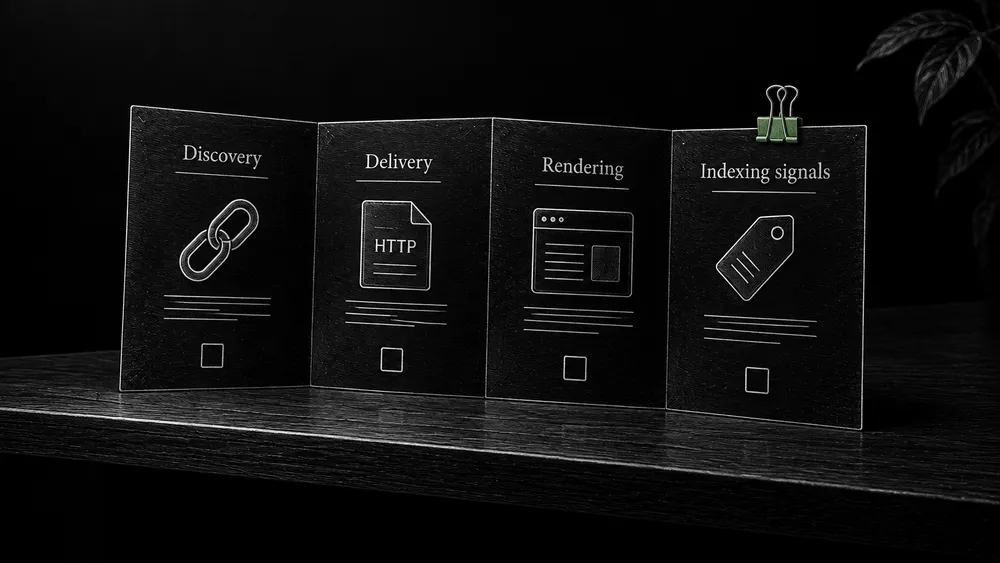
Discovery: can a visitor find the page through the site?
Start at a relevant hub or category and navigate to the target. If you can reach it only by pasting a URL, inspect why it is missing from the structure. A page may have been published without being added to its parent section, or a dynamic list may omit it because of a content-field condition.
For WordPress and YOOtheme Pro, inspect the output of the actual listing template. The content editor can show a correct page while the query used by a grid excludes that page. Review the connection between content type, category, custom fields, and the links rendered on the public website.
Delivery: what does an anonymous request receive?
Test without your WordPress administrator session. Look for maintenance screens, access challenges, unexpected redirects, and empty responses. Repeat on the exact hostname and protocol used in your published links.
If the website behaves differently across requests, record the conditions: logged in or logged out, warm or cleared cache, desktop or mobile, first visit or returning visit. These details help the developer reproduce the issue instead of making speculative plugin changes.
Rendering: is the intended content actually present?
Compare the main heading, body, useful links, and important product information against the approved content. Check the rendered page as well as the HTML response when JavaScript changes what is shown.
For example, a template can display the page title correctly while its article body is missing because a dynamic content field is no longer connected. An automated title check will pass. A short comparison with the approved page will expose the real problem.
Indexing decisions: do the signals match the page’s purpose?
Inspect the rules applied to this page and to its content type. A setting at template or plugin level can affect hundreds of URLs. Avoid correcting individual pages until you know whether the source is shared.
The crawling and indexing guide develops this investigation. The robots.txt and sitemap guide explains access rules and URL submission, while the canonical guide addresses competing versions.
Keep URL behavior consistent with the content plan
Map URL changes to relevant destinations
A content-rich site naturally changes. Guides are expanded, categories are reorganized, and obsolete pages are retired. Technical SEO includes preserving the meaning of those changes for both visitors and search engines.
Maintain a decision record when a URL changes: what existed, what replaces it, why the destination is relevant, and which internal links need updating. When no replacement exists, say so. Sending every missing page to the homepage can leave visitors without the information they requested.
Compare page purpose before merging similar URLs
Review duplication as a content relationship. Two URLs showing essentially the same guide are different from two guides addressing separate decisions. Do not consolidate pages merely because their titles share a phrase. Equally, do not preserve multiple URLs whose only meaningful difference is a tracking parameter.
Use the redirects and broken links guide for the implementation and verification sequence. Keep editorial decisions about merging, rewriting, or expanding content connected to the SEO content section.
Make titles, headings, and structured data describe the actual page
Check titles and headings in the published template
Once the intended content is accessible, inspect how the page identifies itself. Its title, prominent heading, description, and structured data should describe the same subject and current information.
Google generates search-result title links from several sources, including the title element and prominent page text. It recommends clear, descriptive titles and an identifiable main heading. Its title-link guidance explains why the displayed result may differ from an editor’s chosen title.
For a WordPress template, test whether the page-specific value appears in the public output. A missing field can leave every guide with the same generic title. A copied template can retain a description from an unrelated page. Correct the source and sample other pages using the same configuration.
Write accurate descriptions and validate structured data
Write a meta description that accurately summarizes the page’s benefit, but do not expect Google to reproduce it for every query. Google often builds snippets from page content and may use the description when appropriate. Its snippet guidance explains this behavior; a plugin’s character counter is an editorial aid, not an indexing requirement.
Structured data supplies an explicit description of eligible page content. Choose a supported type that fits what is actually present, then test the generated output. Google’s structured-data introduction explains the relationship between markup and search enhancements.
Keep this check concrete. If the page identifies an author, the public biography and markup should refer to the same person. If it presents a product offer, the displayed offer and machine-readable values should agree. Do not invent reviews, qualifications, or business details to populate fields.
This work belongs alongside content implementation. It does not require a separate page for every setting, and it cannot compensate for an article whose main explanation is missing. Product-specific validation is developed further in the WooCommerce guide below.
Make the website usable after the search visit
Connect page experience to the visitor journey
Technical quality also affects the person who arrives. A page that delays its main content, ignores a tap, or shifts a form while someone is typing creates friction even when it is indexed correctly.
Google uses Core Web Vitals in its ranking systems, but good measurements do not guarantee high positions. Its page experience guidance explicitly advises against pursuing a perfect score solely for SEO.
Verify performance repairs without breaking useful functions
Choose performance work from evidence. Identify the affected page type and interaction, reproduce the delay, then test the smallest change likely to address it. Use the Core Web Vitals guide for measurement and diagnosis. The actual roles of Nginx, Redis, browser caching, and Cloudflare are explained in WordPress caching.
Do not treat a faster first screen as a successful repair if the contact form, menu, or product selection stops working. Performance testing should include the journey the page exists to support.
Give WooCommerce its own technical review
A store combines editorial pages with a changing catalog. Its search-facing URLs may include products, categories, selected attributes, pagination, and buying guides. Other URLs exist mainly to support sessions, sorting, or account actions.
That makes store architecture a set of decisions, not a single “SEO enabled” switch. Define which catalog pages deserve independent search visibility, how visitors reach products, and what should happen when availability changes. Check the consistency between visible product information and machine-readable output.
The WooCommerce technical SEO guide covers these relationships. Planning and building the store itself belongs in WooCommerce development. This separation lets the technical guide address catalog behavior in depth without repeating the entire creation process.
Prioritize a repair by consequence, reach, and evidence
Prioritize important content and shared template defects
An issue affecting the primary service pages is usually more consequential than an isolated warning on a low-value archive. A template defect can deserve attention before individually editing every affected URL.
My recommended working order is:
- Restore access to important content and resolve unintended exclusions.
- Correct shared output problems that affect whole page families.
- Repair navigation and URL relationships that misdirect visitors or discovery.
- Improve demonstrated performance and enhancement problems.
- Review lower-impact inconsistencies once the important journeys work.
This is a practical prioritization method, not a Google-issued severity scale. Adjust it when evidence warrants: a single broken inquiry path can be urgent for the business even when it has no direct indexing consequence.
Turn a finding into a specific developer task
Each task should state the observed problem, affected URLs, likely cause, proposed change, owner, and completion test. “Improve technical SEO” is not specific enough to hand to a developer. “Restore the article body in the guide template and verify all pages using that template” is.
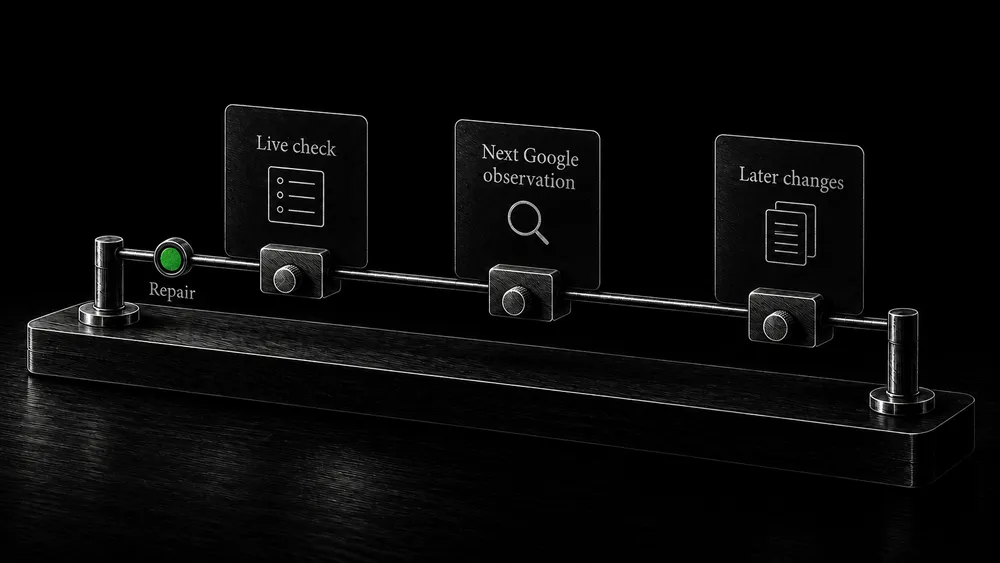
Verify the repair at three different times
Verify the live repair and the next Google observation
Immediately after implementation: repeat the failing request or interaction. Check the changed page and an unaffected comparison page. Confirm that the intended output is visible anonymously and that the conversion journey still works.
After the next relevant crawl or report update: examine whether Google has encountered the corrected version. Keep the old and new observation dates separate. A report describing the pre-repair crawl is not evidence that the current configuration remains broken.
Monitor later changes for recurring defects
During subsequent site changes: watch for recurrence. Plugin updates, new templates, and catalog imports can reintroduce problems that were previously resolved. Document which settings are intentional so future maintainers can distinguish an authorized change from a regression.
SeoDrift’s website and SEO change monitoring supports this observation layer. It complements direct checks and Search Console; a website crawl is not proof of Google’s indexing decision.
Frequently asked questions
Does every small business website need technical SEO?
Every public website needs a sound technical foundation, but the depth of the review should match its complexity. A small site with a few templates needs fewer investigations than a large store with filters, variants, and frequent imports. Start with the pages that support actual customer decisions.
Can I do useful checks without understanding code?
Yes. You can identify important URLs, compare published content with the plan, follow navigation, inspect Search Console reports, and document a reproducible symptom. Configuration changes involving redirects, headers, or server rules are easier to delegate when that evidence is clear.
Will fixing technical problems bring customers immediately?
Some repairs restore a blocked path to existing demand. Others establish eligibility or improve usability without producing an immediate traffic change. Search visibility also depends on the content, the queries it addresses, and competing results. Measure the corrected behavior first and search outcomes separately.
Does installing an SEO plugin complete this work?
It supplies controls and output, but someone still needs to decide how those controls apply to the site. Verify the public pages after configuration. The presence of a plugin does not establish that templates, navigation, canonicals, or catalog URLs behave as intended.
Should all Search Console warnings be eliminated?
No. Compare each reported state with the page’s intended role. Deliberately retired URLs and intentionally excluded pages require different treatment from an important service page that should be available in search. Keep a record of expected exclusions.
How often should a technical review happen?
Use events and risk to set the schedule: launch, redesign, migration, major template changes, and substantial catalog updates all justify checks. Between those events, choose monitoring and review intervals according to how frequently the website changes and who can respond.
Is technical SEO included when you build a new website?
I plan the technical foundation alongside structure, content, and launch work for new WordPress websites. The agreed scope defines the delivered checks. Continued observation and development after handover are arranged separately through website support and growth.
Get help with a specific technical problem or a new website
You do not need to identify the root cause before contacting me. Share the website, the pages that matter, the symptom you see, and any recent change. If you are starting from scratch, describe the business and the content you expect the website to support.
I can then assess whether the next step is a focused investigation, implementation work, or technical planning within a complete website project. Your accounts remain yours, and continued access or monitoring is subject to the support arrangement you choose.