

 WordPress & YOOtheme Pro
 WooCommerce Development
 Website Planning
 Website Ownership & Access
 Website Support & Growth
 Website Launch Checklist
WooCommerce Technical SEO: Make the Catalog Discoverable and Keep Product Information Consistent
A WooCommerce store can support much more than individual product pages. Categories help shoppers narrow a choice. Buying guides answer questions before purchase. Product pages provide the details needed to choose and order. WordPress lets these parts operate within one content system.
Technical SEO makes that system coherent: the right catalog pages are reachable, generated URLs have a defined purpose, and the information supplied to Google matches what a shopper can see and buy.
This guide focuses on catalog behavior and verification. For the wider build, see WooCommerce development; for the general principles behind the checks, see technical SEO.
Define the store’s search destinations before configuring filters
Classify catalog pages, browsing states, and private transactions
List the page families the store will publish. For each, decide whether it should be a useful independent search destination, a navigation state, or part of a private transaction.
| Page family | Decision to make |
|---|---|
| Main product categories | Which collections match meaningful shopping needs? |
| Individual products | Which public pages provide complete, maintained product information? |
| Selected attribute or filtered pages | Which deserve their own stable content and search role? |
| Sorting and arbitrary filter combinations | Which are interface states without independent search value? |
| Buying guides and comparison content | Which customer questions support relevant catalog choices? |
| Cart, checkout, and customer account | How are transactional behavior and private information handled? |
Choose useful search destinations before setting filter rules
Do not let every available attribute automatically become an SEO page. A search destination requires an actual purpose and maintainable content. Equally, do not block every filtered view without considering whether some represent useful, deliberately planned collections.
Document the decision before selecting plugin settings. That gives the developer a clear target and gives future catalog editors a way to evaluate new attributes and categories.
Make products reachable through durable navigation
Link categories to products through durable navigation
Follow the route from the store’s main navigation through categories to products. Check both recently added products and items that have moved beyond the first result set.
Google recommends linked navigation to products and notes that its crawler generally does not submit searches into a site’s search box. Its ecommerce structure guide explains why products available only through internal search can be missed.
Check catalog visibility and the rendered product grid
Test the generated category output, not just the product’s published status. A product can be public while a catalog-visibility setting, category assignment, or layout condition removes its normal route from the store.
In a YOOtheme-based layout, compare the intended catalog query with the visible grid. Check the direct links in product cards and the path back to the category. The design should expose the catalog structure rather than leave its meaning dependent on a visitor knowing exactly what to type.
Keep editorial content connected to that structure. A guide should point to a relevant category or product when it helps the decision, and catalog pages can point back to useful explanations. Avoid attaching the same unrelated article list to every product solely to increase link counts.
Treat pagination as access to the rest of the catalog
Preserve crawlable links and distinct pagination URLs
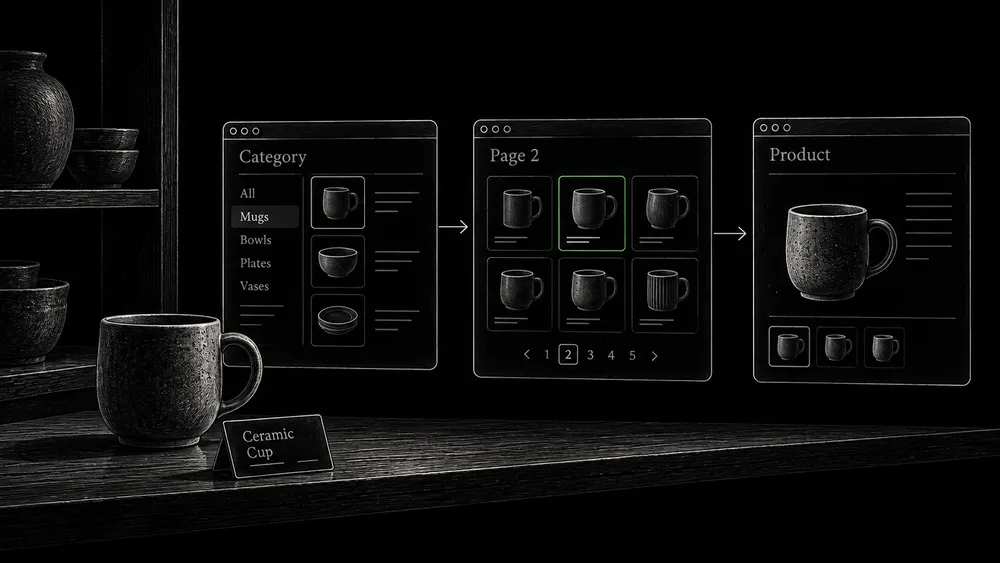
If products load only after pressing a button, determine how the later sets can be retrieved independently. Google does not ordinarily perform the user interactions needed to load more content. Its pagination guidance recommends crawlable sequential links, distinct page URLs, and a canonical for each paginated page rather than canonicalizing the sequence to page one.
Test a later page directly in a fresh session. Confirm that it shows the expected result set without requiring previous clicks. Follow its product links, then check the next and previous paths.
Verify the last result page and load-more fallback
Also test the end of the sequence. A request beyond the real inventory should not generate an endless succession of apparently valid empty pages. Catalog growth and stock changes can alter the number of pages, so include the boundary in regression testing.
If the interface uses “load more” for convenience, preserve an underlying URL and link structure that supports discovery. The visitor-facing interaction and the crawlable route can coexist.
Control filter combinations according to their purpose
Separate maintained filter destinations from generated combinations
Faceted navigation can create a large number of combinations from a modest inventory. Google recommends controlling crawling when those combinations do not need search visibility; canonical tags alone are a less effective crawl-control method. Its faceted-navigation guidance also addresses stable filter ordering and invalid or empty combinations.
Create two inventories: deliberately maintained search destinations and generated browsing states. For the first, define stable URLs, useful information, and links from relevant pages. For the second, decide how the interface will work without unnecessarily exposing an expanding search inventory.
Plan indexed-URL removal before restricting future crawling
If unwanted filter URLs are already indexed, plan removal separately from future crawl restriction. Blocking access immediately can prevent a crawler from observing page-level instructions. Follow the sequencing explained in robots.txt and sitemaps.
Test the rules against real combinations: one filter, several filters, reversed selection order, a cleared selection, and a combination that produces no results. Keep important categories in the positive-control set so a broad pattern cannot quietly restrict them too.
Keep URL identity stable across the buying journey
Keep product links, canonicals, and sitemap addresses consistent
Check whether links, sitemaps, and canonical declarations use consistent product addresses. Avoid assigning different public identities to the same item simply because it is reached through different categories or interface states.
Google’s ecommerce URL guidance recommends consistent references and explains why fragments are unsuitable as the sole distinction between separately indexed content.
Map URL changes and preserve meaningful variation states
Before changing permalink structure, create a map of existing URLs and their replacements. Product imports and category reorganizations should not silently erase old entry points. Use the redirect guide for the migration test and the canonical guide for equivalent versions.
Preserve distinctions that matter to the buyer. A URL associated with a selected variation needs to open the intended state reliably if that state is being used in product data or external references.
Verify variations as product data, not just interface controls
Test variation-specific price, availability, and images
WooCommerce variable products can have variation-specific prices, stock, images, and other details. The WooCommerce variable-product documentation explains how these values are managed.
Test a product before selection and after selecting an available variation. Compare its visible identity, price, availability, image, and purchasing behavior. Then test an unavailable variation and an invalid combination.
The technical review should answer whether the direct URL, public page, and machine-readable information describe the same state. A dropdown that looks correct is only one part of that check.
Validate ProductGroup and Product output for the variant model
Google supports variant relationships through ProductGroup alongside Product, with identifiers and properties describing the variations. The implementation depends on whether the variants are presented on one page or separate pages. Google’s product-variant guide defines those requirements.
Do not assume that every installed combination of theme, WooCommerce, and SEO plugin outputs the complete intended variant model. Inspect the generated data and test it. If a feature requires custom work or an additional integration, identify that before promising it as an automatic platform capability.
Align product structured data with the visible offer
Compare product markup with the visible offer
For pages where shoppers can buy a product, review Google’s merchant-listing requirements. Check required properties against the actual product state and use truthful available information for applicable recommendations. The merchant-listing documentation covers product, offer, price, currency, and related details.
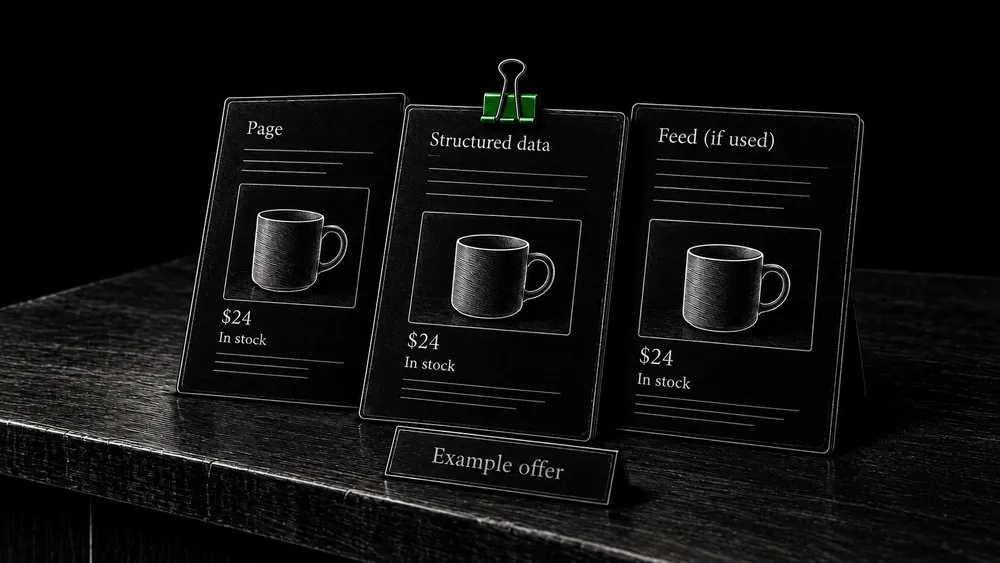
Use Google’s Rich Results Test on representative public product URLs. Then compare the output manually with the page. Verify the displayed price and currency, availability, product identity, relevant image, and any shipping or returns information you supply.
Resolve conflicting markup and check feed consistency
Check for competing generators. Two components may describe the same product with different prices or availability. Identify the source responsible for each block before adding another snippet of JSON-LD.
Markup and Merchant Center feeds are complementary ways to supply product data. Google’s product structured-data overview explains the available routes and experiences. If a feed is used, include it in the consistency review; do not treat an accurate page as proof that the feed has updated.
Correct markup establishes eligibility, not a guaranteed rich result. Keep claims and reviews truthful and visible as required by Google’s structured-data policies.
Plan for stock changes and discontinued products
Define URL behavior for each stock and product state
A store’s SEO implementation needs to survive ordinary inventory events. Decide what should happen before those events are handled by automatic rules.
| Product state | What to preserve or decide | Verification |
|---|---|---|
| Available | Accurate product details and purchasing route | Page, offer data, and cart agree |
| Temporarily unavailable | Useful information and truthful availability | No misleading purchase promise; catalog behavior is intentional |
| Available for backorder | Clear terms for the actual offer | Page and checkout communicate the agreed availability |
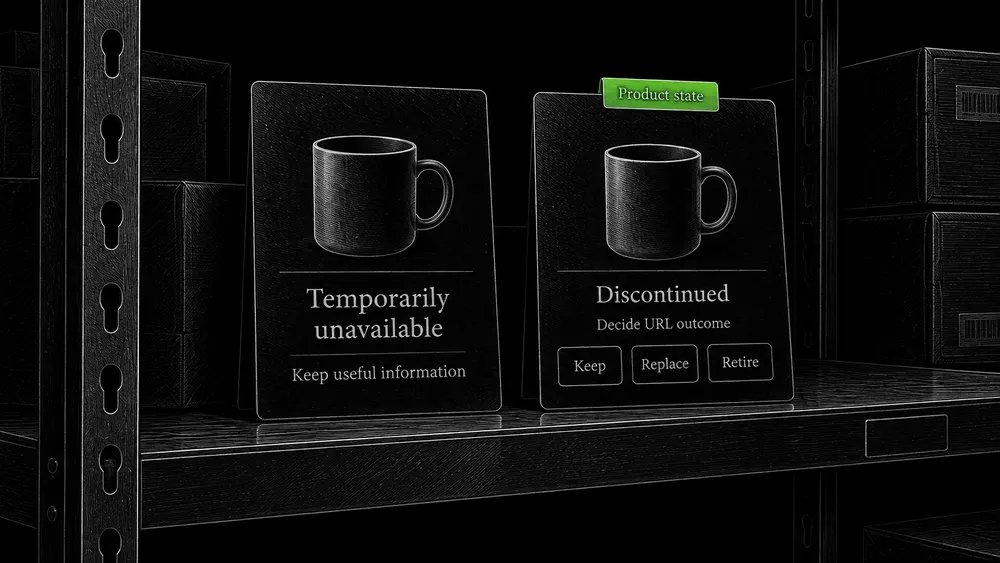
| Permanently discontinued | Retain useful reference content, use a genuine replacement, or retire | Chosen URL outcome matches the content decision |
| Renamed or moved | Continued access from the old address | Relevant destination and updated internal references |
Separate catalog visibility from search and removal decisions
WooCommerce has settings for stock management and out-of-stock visibility. Its product settings documentation describes these controls. Hiding an item from a catalog view is not the same task as defining its search-indexing or URL-removal policy.
Test the direct product URL after changing stock state. Does it remain useful? Does the page still advertise an unavailable offer? Does the relevant category unintentionally become empty? Record how each state affects discovery as well as the product page itself.
Avoid deleting a temporarily unavailable product solely because a stock count reached zero. Conversely, do not keep an empty product shell forever without a reason. The decision should reflect the information still useful to customers and the actual future of the item.
Include performance and cache correctness in the review
Measure representative store interactions
Product galleries, variation controls, filters, and third-party integrations can affect loading and responsiveness. Measure representative store journeys through the Core Web Vitals workflow rather than testing only the homepage.
Check public prices, stock, and product data after cache updates
After a price or stock update, verify the public response in a fresh session. Compare the product page, category presentation, structured data, and feed if one is used. Stale output can create contradictions even when the database contains the correct values.
The WordPress caching guide covers the distinction between cache layers and the tests needed for personalized or transactional pages. A faster catalog is useful only when product information remains current and customer state stays isolated.
Make catalog changes testable
Retest important product states after catalog changes
Keep a small regression set containing the important page families and product states. Use it after a template change, SEO-plugin update, catalog import, or new filtering feature.
Verify imported content and the complete buying journey
For an import, compare the intended number and identity of changed records with the resulting public pages. Inspect missing images, changed slugs, empty descriptions, and unexpected visibility settings. A technically successful import can still publish the wrong content.
Finish with a short public journey: category, later result page, product, variation, and purchase step. Then inspect the corresponding URLs and product data. This connects search-facing correctness with the store the customer actually uses.
Frequently asked questions
Is a WooCommerce SEO plugin enough for the catalog?
It can provide useful output and controls. The store still needs decisions about categories, filters, variants, and product states. Verify the generated pages and data against those decisions.
Should every product attribute have an indexed page?
Only when it creates a useful, maintainable destination for a meaningful shopping need. Many attributes are better used as browsing controls. Decide their role from the catalog and customer questions, not the number of combinations the plugin can generate.
Can a store use long guides alongside product pages?
Yes. WordPress can support both editorial content and the catalog. Give each guide a specific decision to help with and connect it to relevant products or categories. Keep the product page focused on the actual item and offer.
Should out-of-stock products disappear from Google?
Temporary stock status alone is not a complete removal decision. Consider whether the page remains useful and whether the product will return. Keep availability truthful and define catalog visibility separately from search and URL behavior.
Does valid product markup guarantee a price or rating in search?
No. It supports eligibility for applicable features. The page must meet the relevant requirements, and Google decides whether to show the enhancement. Never add invented reviews or offer details to complete a test.
How do I know a filter plugin is suitable for SEO?
Inspect the URLs it creates, direct access to selected states, crawlable navigation, boundary behavior, and controls for planned search destinations. A feature list saying “SEO friendly” does not replace those tests on your store.
Build or review a store with its search structure included
I develop WooCommerce websites as content systems with a catalog, supporting information, and a technical foundation. For an existing store, share the catalog behavior or search issue you want reviewed. For a new store, describe the inventory structure and the materials you already have.