

 WordPress & YOOtheme Pro
 WooCommerce Development
 Website Planning
 Website Ownership & Access
 Website Support & Growth
 Website Launch Checklist
Internal Linking for SEO: Give Every Important Page a Useful Place in the Website
A content plan can look coherent in a spreadsheet while the published website is difficult to navigate. New guides may have no links from older pages. A hub may point to a section that moved. A related-content block may recommend articles because they share a tag rather than because they help the reader.
Internal linking turns the planned relationships into routes people can actually follow. It connects the broad explanation with detailed guidance and makes the next useful question easier to answer.
This guide covers the editorial and structural work. It belongs within SEO content and copywriting; technical response problems are addressed in redirects and broken links.
Define the relationship before inserting the link
State why the reader needs the destination
For each proposed connection, finish the sentence: “The reader may need this destination because…”
A useful reason could be that the destination explains a prerequisite, develops a procedure, compares alternatives, or describes implementation help. “The keyword appears here” is not enough to establish a useful connection.
Place the link where it supports the explanation
Read the surrounding paragraph with the destination in mind. Does following the link help at that point, or interrupt an explanation the current page should complete? A link should not excuse an incomplete answer to the page’s own main question.
Google recommends contextual internal links to important pages and descriptive anchor text. It also states that there is no universal ideal link count. Its link best-practice guidance provides the search-facing foundation; the planning process below applies it to a content cluster.
Connect hubs and spokes in useful directions
Map links between the hub and supporting guides
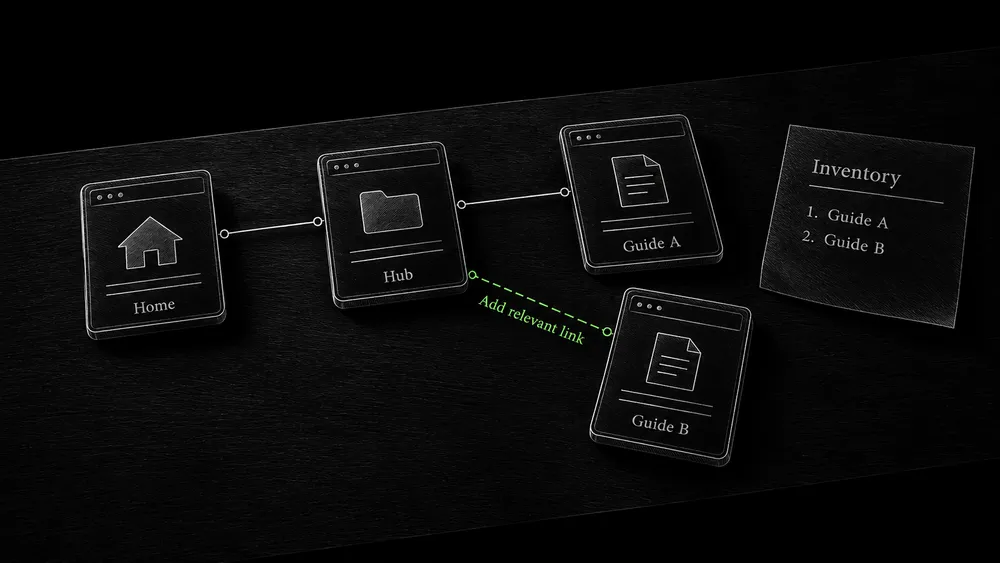
A hub establishes the overall subject and its main decisions. Supporting pages deepen particular tasks. Their relationships can be represented simply:
Hub → supporting guide: develop a specific decision or procedure
Supporting guide → hub: recover the overall context
Guide → related guide: handle a prerequisite or next task
Guide → relevant implementation page or brief: request suitable help
The arrows show links between pages, not additional levels of URLs or duplicate pages to create.
Provide context for direct arrivals and relevant next tasks
A narrow guide should make sense when a reader arrives directly from search. Provide the immediate context it needs, then offer the hub for the wider picture. Do not require everyone to return to the homepage before they can understand where they are.
Sideways links are useful when the next task genuinely crosses a page boundary. A guide about checking launch readiness can lead to ownership details where account control matters. It does not need to link to every guide in the development cluster.
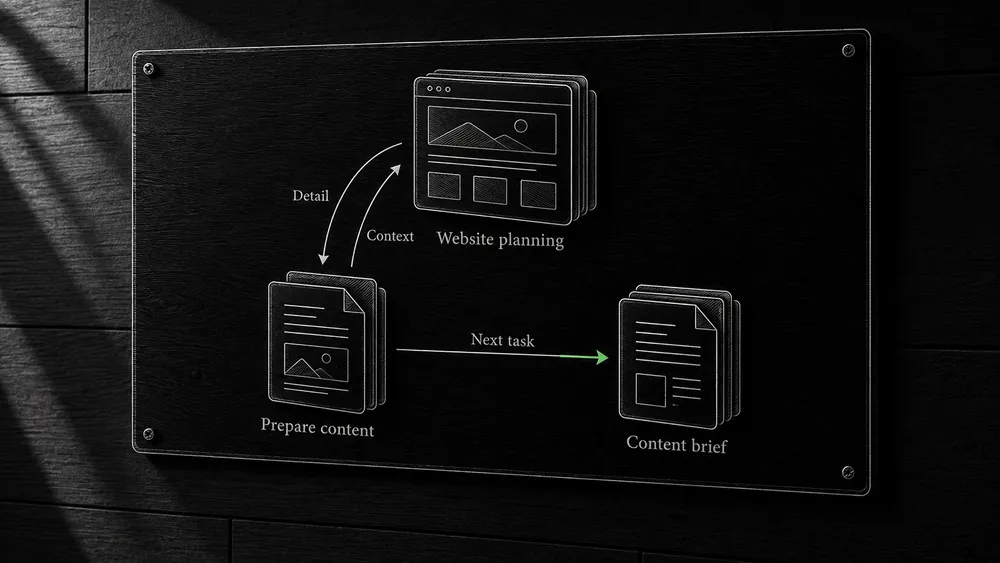
Give each navigation element a distinct job
| Element | Main purpose | Review question |
|---|---|---|
| Main navigation | Show the website’s principal areas | Can a visitor identify where their need belongs? |
| Hub content | Explain the subject and introduce deeper tasks | Is the destination connected to a decision in the text? |
| Contextual link | Continue a specific line of reasoning | Does the destination deliver the promised detail? |
| Breadcrumbs | Show the page’s place in the hierarchy | Does the trail reflect the intended structure? |
| Related-content block | Offer a small set of useful follow-up pages | Are the recommendations relevant to this page’s task? |
| In-page contents | Move within a long article | Do section names help the reader locate the answer? |
Breadcrumbs and an in-page table of contents are different. One describes the website hierarchy; the other points to sections of the same document. Google’s breadcrumb documentation explains how a breadcrumb trail can also be represented as structured data.
In a WordPress build, verify both the visible trail and its destination links. A generated hierarchy can be technically valid while reflecting the wrong parent assignment.
Choose the page that actually answers the next question
Prefer the most relevant maintained destination. If a specific guide exists, linking to the homepage forces the reader to find it again. If no such guide exists, decide whether the current page should provide the answer rather than link vaguely to a broad section.
For example, a sentence about preparing a content brief should lead to the content briefs workflow when the reader needs the production process. A sentence about deciding which pages to create should lead to the content blueprint. The topics overlap, but the destinations answer different tasks.
Check whether the destination’s scope changed since the link was written. A renamed page may still work technically while no longer delivering the promised comparison. Link maintenance includes meaning as well as response status.
Write anchors that describe the destination naturally
Describe the destination in the clickable text
An anchor is the clickable text. It should help the reader predict what opens, with enough context from the sentence to explain why it is relevant.
Compare these illustrative options:
- Vague: “Read more here.”
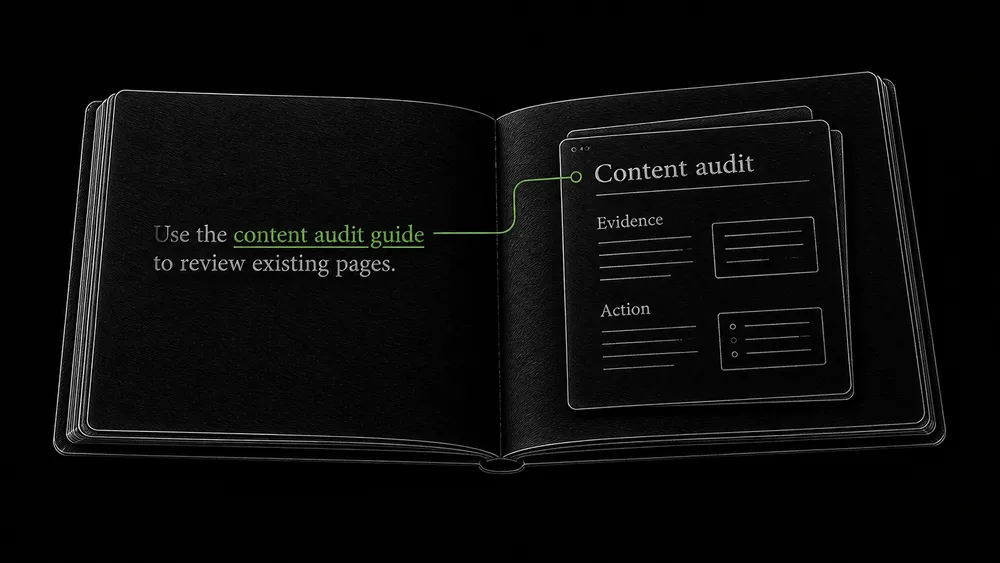
- More useful: “Use the content audit guide to decide whether overlapping pages should be merged.”
You do not need to link the entire sentence. The meaningful phrase can carry the link while the rest explains its purpose.
Check anchor meaning across different contexts
Keep wording natural across the website. The same destination may need different descriptions in different contexts, but do not invent awkward variations merely to avoid repetition. Also avoid assigning the same vague phrase to several destinations with different jobs.
During review, read the anchor and then open the page. If the title and answer surprise you, revise either the link text or the destination. This simple check catches misleading links that an automated crawler cannot judge semantically.
Build a link register for important relationships
Record important source-to-destination relationships
For a substantial cluster, maintain a compact record of planned connections:
Source page:
Section or paragraph:
Reader's next question:
Destination page:
Proposed anchor:
Why this destination fits:
Published and verified:
Use the register for meaningful relationships rather than every repeated navigation link. It helps the editor place links during drafting and lets the implementer verify that they survived publication.
Add useful incoming links when publishing a guide
When a new spoke is published, review the parent hub and a small set of older related pages. New content often links back to established articles while those articles never receive the reciprocal update needed for discovery and navigation.
Reciprocal does not mean every pair needs links in both directions. Add the reverse link when it provides context or a useful next step, not to complete an artificial symmetry.
Find isolated pages by comparing inventories
Compare page inventories with a navigation crawl
Compare the approved page inventory, sitemap, and a crawl beginning from public navigation. An important page present in the inventory but absent from the navigation crawl deserves investigation.
It may have no incoming internal links, or the crawler may have been prevented from reaching the link. Record crawl settings and any access failures before concluding the page is isolated.
Repair missing routes in WordPress content relationships
Inspect the page’s intended parent and the links generated there. In WordPress and YOOtheme Pro, a missing category assignment or a content-query condition can exclude a published item from a grid. Repair the source of the missing relationship, then verify the public route.
If a page is reachable only through a temporary “latest posts” block, consider what happens after enough new material is published. A durable category or contextual route should preserve access to useful older content.
For crawl-specific problems, use the crawling and indexing guide. A sitemap can supply URLs, but it does not replace the editorial work of making the website navigable.
Check links in the rendered WordPress page
Verify usable links in the published markup
Google generally expects links represented by anchor elements with usable href values. A visual control powered only by a script event may not provide the same discoverable route. Google’s link documentation explains the supported markup.
Test cards, buttons, destinations, and keyboard access
Inspect card titles, buttons, image links, and pagination in the published output. Test keyboard access as well as clicking or tapping. A design element that looks linked may have only part of its area active, or an overlay may interfere with use.
Verify the actual destination, including hostname and path. Copied layouts can preserve staging links or old addresses. If the link passes through a redirect, update it to the maintained destination where appropriate and check the surrounding wording.
Do not assume that a visual builder’s preview establishes the public behavior. Test while logged out on mobile and desktop after the content is published.
Keep shared components relevant as the site grows
Keep shared navigation focused on its role
Menus, footer links, and reusable content blocks can affect many pages at once. Record their role and review them when the site’s structure changes.
A sitewide block is useful for genuinely global routes. It is less useful as a way to attach every commercial destination to every article. Readers need a manageable set of relevant choices, and a dense block can compete with the article’s actual next step.
Review selection rules and missing destinations
For related-content automation, inspect the selection logic. A shared tag may be too broad; a manually chosen relationship may be appropriate for important guides. Test what happens when a linked page is unpublished or reassigned.
Content systems can combine automated consistency with editorial choices. The goal is to make the source of each relationship maintainable, not force every connection to be either fully manual or fully automatic.
Evaluate improvements without promising a quantity of link value
A useful link review can demonstrate that important pages have relevant incoming routes, misleading destinations have been corrected, and the cluster can be navigated logically.
Search effects require separate observation. Adding a link does not give you a measurable guaranteed amount of authority or a fixed ranking increase. Avoid numerical formulas that imply otherwise.
Track the changes made and review the relevant page behavior afterward. If a user journey improves, preserve that evidence. If search visibility changes too, examine timing and other changes before attributing the whole result to internal links.
Use the content audit process to revisit the structure as new topics, updated pages, and actual visitor questions accumulate.
Frequently asked questions
How many internal links should a page have?
Use the links needed for navigation, context, and useful next steps. There is no fixed quota that makes every page better. Review whether each destination earns its place and whether the reading flow remains clear.
Must every spoke link to every other spoke?
No. Link related tasks where the connection helps the reader. A hub can provide access to the full group without making every individual article a duplicate directory.
Does every page need to be in the main menu?
No. The main menu can expose the principal areas while hubs, categories, and contextual links lead to detail. Test the complete route rather than forcing every URL into top-level navigation.
Are breadcrumbs enough to connect a cluster?
They provide hierarchical context, but they do not explain all the useful relationships between tasks. Contextual links and well-developed hub content serve additional purposes.
Can internal linking be automated?
Some navigation and related-content selection can be generated from the content model. Review the actual selections and output. Important contextual relationships still benefit from editorial judgment about what the reader needs next.
Should the same anchor always point to the same page?
Consistency helps when the phrase describes a specific task. If similar wording refers to different subjects, make the anchors more precise. Judge the meaning in context rather than enforce a universal exact-match rule.
Make your content structure usable on the published site
Share the website and the pages that feel disconnected or difficult to find. I can review the relationships and implement a clearer structure as part of content development or a WordPress project.