

 WordPress & YOOtheme Pro
 WooCommerce Development
 Website Planning
 Website Ownership & Access
 Website Support & Growth
 Website Launch Checklist
WordPress Redirects, Errors, and Broken Links: Preserve the Right Destination
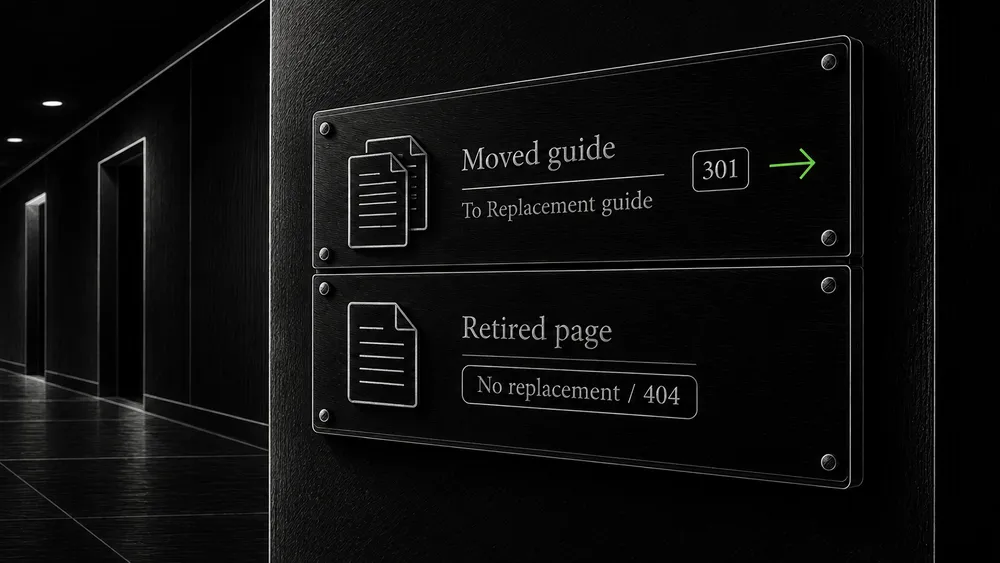
A website changes over time. Pages move, articles merge, downloads are replaced, and some content becomes obsolete. The important question is what happens when someone follows an address that existed before the change.
They should reach a relevant replacement when one exists. When it does not, the website should communicate that honestly and help them find a useful next step. Redirecting every missing address to the homepage can make a report look quieter while making the visitor’s experience less clear.
This guide covers the decisions, implementation checks, and ongoing maintenance behind URL changes. It is the practical URL-response branch of technical SEO.
Separate a broken link from a correct missing-page response
Distinguish an outdated link from an intentionally removed page
A broken internal link is a reference on your website that no longer leads where it should. The repair often belongs on the source page: update the link to the correct destination or remove an obsolete reference.
A request for an intentionally deleted page is different. The website may be responding correctly even if an old external link or crawler still requests it. Do not create irrelevant content solely to make that request return success.
Record the source link and the failed destination
Collect both ends of the relationship: the page containing the link and the requested destination. Without the source, you may repair the response while leaving navigation that continues to send visitors through an unnecessary detour.
Also distinguish a broken document from a broken resource. A missing stylesheet or script can damage many otherwise working pages. An unavailable downloadable document may interrupt a specific buyer’s research. Prioritize by what the failed request prevents the visitor from doing.
Read the response, then decide whether it is appropriate
| Response | Meaning to investigate |
|---|---|
| 200 | A successful response; inspect the body to confirm useful content |
| 301 or 308 | A permanent move |
| 302 or 307 | A temporary redirect |
| 404 or 410 | Missing or removed content |
| 429 | A rate-limit or overload response |
| 5xx | A server-side failure |
Google treats ordinary 4xx responses as unavailable content, while 429 and 5xx can reduce crawling and cause persistent failures to disappear from the index. A 200 response containing an error or empty page can be treated as a soft 404. Google’s HTTP-status documentation explains these consequences.
The response code is evidence about delivery, not a complete verdict on the page. A 200 returning the wrong article is still wrong for the visitor. A carefully designed 404 page remains a missing-page response even when it offers helpful navigation.
Decide whether the content moved, changed, or ended
Choose a replacement based on the original content
Before adding a redirect, answer three questions:
- Does the original information still exist elsewhere?
- Is the proposed destination a meaningful answer to the original request?
- Is the move permanent or expected to be reversed?
Google recommends permanent server-side redirects for permanent URL moves and distinguishes them from temporary redirects. Its redirect guide describes the supported methods.
Avoid irrelevant redirects and hidden application failures
For an article merged into a more complete guide, assess whether the destination actually preserves its useful material. For an unrelated retired page, a homepage redirect may not satisfy the original request. Keep the content decision visible in the change record.
Do not use a redirect to hide an application failure. If the intended page exists but its template throws an error, repair the failure. Sending the request elsewhere can obscure the underlying defect and change the website’s content structure without an editorial decision.
Build a URL map before changing a structure
Inventory old URLs and their intended outcomes
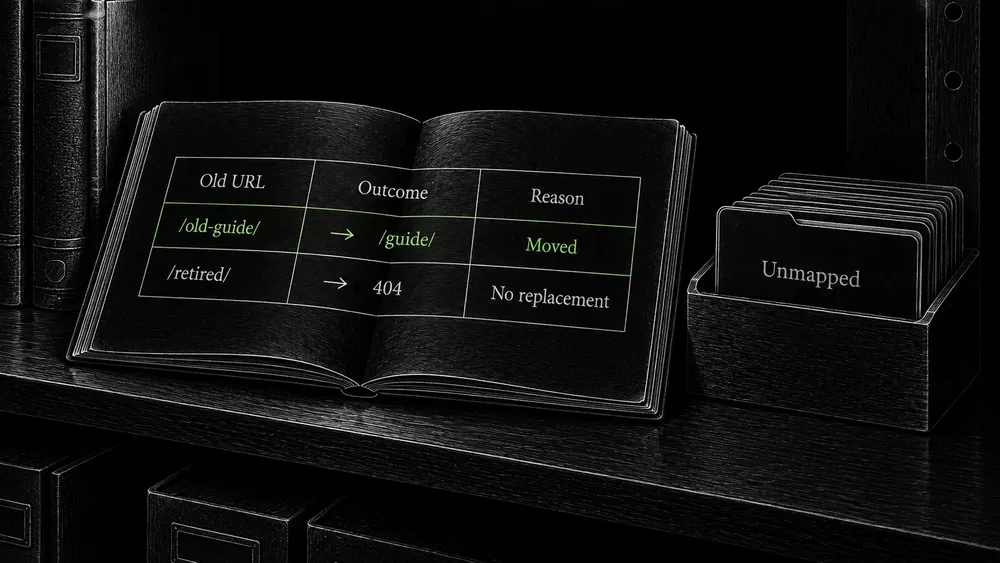
Create a map from old addresses to intended outcomes. Include known public URLs, important linked downloads, and variants that require handling. Use the existing sitemap, crawl, content inventory, and available search data to assemble the list.
An illustrative map might look like this:
| Old URL | Intended outcome | Reason |
|---|---|---|
/old-planning-guide/ |
Redirect to /guides/website-planning/ |
The guide has moved and remains equivalent |
/legacy-launch-checks/ |
Redirect to the expanded launch guide | Relevant material has been incorporated |
/retired-announcement/ |
Return a missing-page response | No useful replacement exists |
/downloads/old-brief.pdf |
Link to a confirmed replacement file where appropriate | The download needs its own review |
These paths illustrate the method; they are not a client migration or a redirect list to install.
Preserve useful redirects and identify unmapped pages
For a site move, Google advises against many irrelevant redirects to one destination and recommends retaining redirects for as long as possible, generally at least a year. Its migration documentation gives the broader migration process.
A mapping table also helps you test completeness. Every old URL needs a documented outcome, even when that outcome is intentional removal. Unmapped important pages should remain a visible task rather than silently falling into a broad fallback rule.
Put the rule where the request is actually handled
Identify which layer owns the redirect
WordPress, the web server, and Cloudflare can all participate in request handling. Before adding a new rule, identify which layer currently changes the URL.
For a small set of editorial URL moves, a managed WordPress redirect configuration may be practical. Hostname or protocol normalization can belong closer to the request entry point. The correct choice depends on the existing setup and who will maintain it.
Prevent loops and test the boundary of pattern rules
Do not configure the same behavior independently in several places without a reason. One layer may redirect to a URL that another redirects back, creating a loop. A rule that worked before enabling a proxy may also expose assumptions about the protocol seen by the origin.
For infrastructure-related loops, inspect the Cloudflare setup and origin configuration together. The SEO task defines the intended destination; the infrastructure task ensures the request reaches it correctly.
Keep exact-match rules when they fit the scope. If using a broader pattern, prepare examples that should match and nearby paths that should not. Include parameters and trailing slashes in the test design rather than assuming their treatment is harmless.
Test the first response and the final page
Inspect the initial response and every redirect hop
Browser developer tools can show the document request and subsequent redirects. Preserve the network log, navigate from the original address, and inspect every step. Test anonymously so a WordPress session does not bypass the behavior.
For a developer, these read-only commands inspect an example URL. Replace the address with the public URL being tested:
curl -sS -D - -o /dev/null 'https://example.com/old-planning-guide/'
This makes a GET request, discards the body, and displays response headers. Look for the status and Location value. It does not follow the redirect.
curl -sS -L --max-redirs 10 -D - -o /dev/null 'https://example.com/old-planning-guide/'
This follows redirects within the specified diagnostic limit and shows the response headers along the way. The limit is a safeguard for this test, not a recommended number of hops. Inspect the final page in a browser as well; these commands do not verify its content or execute JavaScript.
Verify the final content and unaffected comparison URLs
For each mapped URL, verify the intended first response, the final address, the final content, and the absence of a loop. Then test unrelated URLs to confirm the rule is not too broad.
Remove chains from your own links
Point old addresses directly to the maintained destination
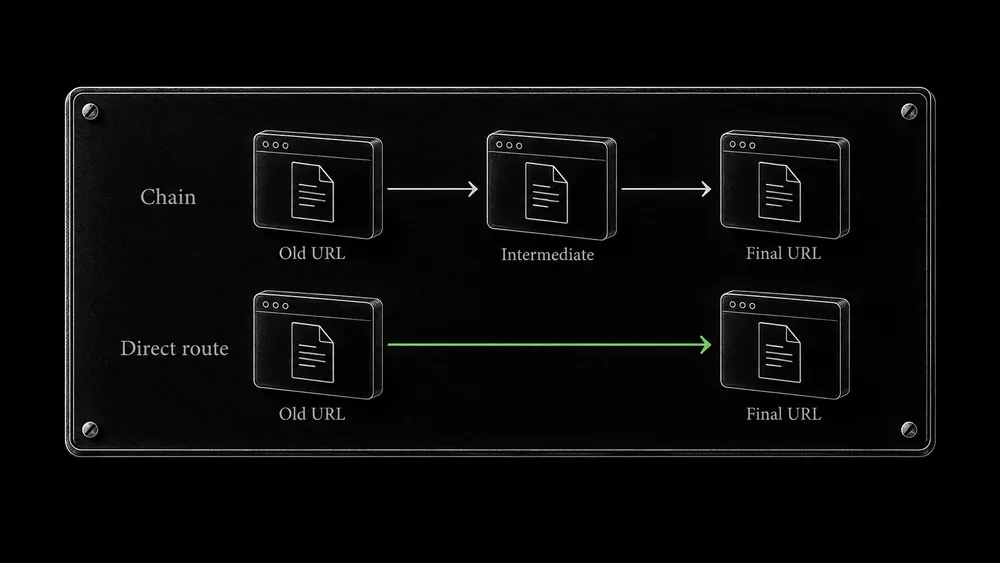
An address can accumulate a history of moves: an old guide redirects to a renamed guide, which later redirects into a new directory. Preserve access from old addresses, but update the rules where possible so they point directly to the maintained destination.
Update navigation, contextual links, sitemap entries, canonical declarations, and relevant structured data after the move. Your website should use the destination you now maintain rather than rely on its own old redirects indefinitely.
Repair shared internal links and align canonical signals
Inspect shared components first. A menu, footer, or reusable content block may generate the same outdated link across hundreds of pages. Correcting that source is more effective than editing individual rendered pages.
Keep the canonical policy aligned with the new address. If the destination still declares the old URL as its representative, the move is incomplete even if a browser lands on the right page.
Deal with external broken links and missing downloads
Replace external citations with equivalent supported sources
An external-link failure is not always permanent. Recheck important references, look for an official replacement, and verify that the new page supports the same statement. Do not silently replace a precise technical citation with the source’s homepage.
If no reliable replacement exists, revise the passage so it remains useful and accurate. Sometimes removing a stale claim is better than retaining a broken citation or linking to an unrelated page.
Check download contents, versions, and access requirements
For your own downloads, test the file itself, not only the link label. Check that it opens, contains the correct version, and is accessible to the intended audience. If access now requires authentication, update the explanation around the link so visitors understand the requirement.
Handle temporary outages without rewriting the site structure
An infrastructure outage and a permanent content removal are different events. Preserve the intended URLs while the delivery problem is repaired. Avoid blanket redirects or mass deletions introduced as an emergency response to a short-lived failure.
For a business pause, keeping information accessible while limiting transactions can be preferable to disabling the whole website. Google’s temporary closure guidance explains the search implications and why extended unavailability is risky.
After recovery, repeat the important anonymous requests and customer journeys. Check whether an emergency maintenance rule remains enabled or a cached failure continues to be served. The operational follow-up belongs with server maintenance; URL and content-state observation belongs with website change monitoring.
Frequently asked questions
Are all 404 responses bad for SEO?
No. A removed page without a replacement needs an honest outcome. Investigate accidental broken links and important pages that should still exist. Do not judge the website by whether its missing-page report is empty.
Should I redirect a deleted page to the closest category?
Only if that destination usefully answers the original request. Review the content relationship and visitor expectation. A category can be appropriate in some cases, but proximity in the URL structure does not establish relevance.
Is 410 always better than 404?
Do not choose between them as a guaranteed indexing-speed tactic. Use the response that accurately reflects your content-management decision and platform behavior. Google groups these ordinary missing-content responses similarly for indexing purposes.
Can a redirect plugin handle an entire migration automatically?
It may implement rules, but it cannot reliably decide every content relationship for you. A migration still needs a URL map, coverage review, destination checks, and testing of the public requests.
Why does a redirect work for me but fail in a test?
Compare the exact address, browser cache, login state, request method, and delivery layer. A remembered browser redirect or authenticated session can hide the current anonymous response. Preserve a network trace to make the difference reproducible.
When can old redirects be removed?
Consider continuing external links, bookmarks, search processing, and the cost of retaining them. For site moves, follow Google’s retention guidance rather than deleting the rules as soon as the new site appears in search. Document any decision to remove them.
Plan URL changes before they become broken journeys
Share the affected addresses and explain whether the content moved, merged, or ended. I can help map and implement the appropriate behavior within a WordPress project or a focused technical repair.