

 WordPress & YOOtheme Pro
 WooCommerce Development
 Website Planning
 Website Ownership & Access
 Website Support & Growth
 Website Launch Checklist
Google Business Profile Setup & Optimization: Start With the Real Business
A good Google Business Profile setup begins before information is entered into a form. Confirm that the business qualifies, find any existing profile, establish ownership, and gather facts the owner can support.
Optimization then means making that representation accurate and useful: appropriate categories, clear service information, correct contact details, and a destination that helps the customer. It does not mean adding promotional keywords to every available field.
This is the profile implementation guide within Local SEO. It covers a practical setup and review process rather than a promise of instant verification or map rankings.
Confirm eligibility and the address arrangement
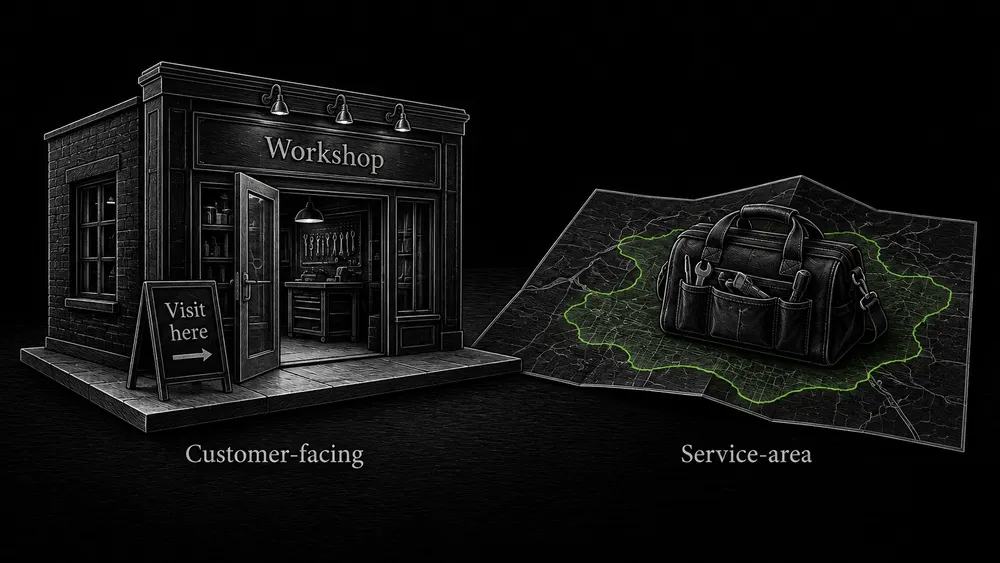
Match profile eligibility to the real operating model
Google permits profiles for qualifying businesses that receive customers at a physical location or travel to customers. A rented mailing address where the business does not operate is not an eligible office. Customer-facing locations must meet the applicable real-world representation requirements. Google’s business guidelines.
For a service-area business that does not receive customers at its address, the public address should be removed and the actual service area described instead. A hybrid business serves customers both at its address and at their locations. Service-area guidance.
Separate public business details from verification information
Do not choose the arrangement because it appears more likely to rank. Choose what accurately describes the operation. If the business model is unusual, resolve eligibility before making a commitment to deliver a profile.
Keep private verification information distinct from the facts meant for public display. An address needed during a platform process is not automatically information you should publish across every directory and page.
Find the existing record before creating anything
Identify an existing profile and its current state
Search Google and Maps using the business name, current address, phone number, and relevant previous details. Compare the results carefully: a similarly named business or another genuine location is not necessarily a duplicate.
| What you find | Next step |
|---|---|
| No relevant profile | Prepare a new profile if the business is eligible |
| A profile already controlled by the owner | Review access and correct the existing information |
| An unclaimed profile for the business | Follow the available claim process |
| A profile controlled by someone else | Investigate the appropriate ownership request route |
| Conflicting or apparently duplicate records | Establish what each represents before requesting correction |
Use the ownership route instead of creating a competing profile
Google provides an ownership request process, with different handling for some business types. Use that route rather than assuming that creating another profile solves an access problem.
Record the profile URL and current state. “Found” and “under our control” are different milestones.
Keep the client in control
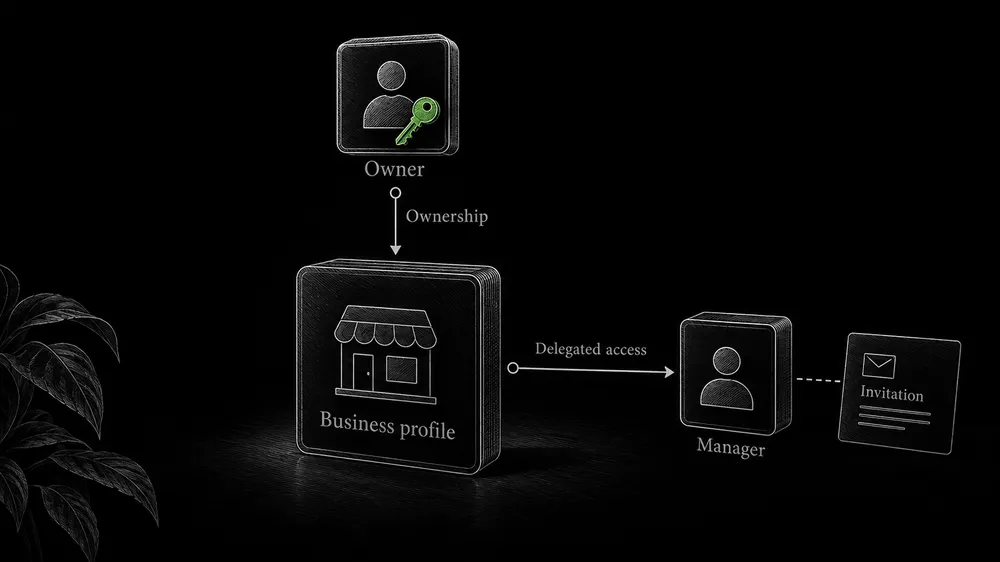
Use a client-controlled Google account for ownership. Invite an implementer with the appropriate role instead of sharing the owner’s password. Google supports owners and managers, with one primary owner and different capabilities. Owner and manager guidance.
Before work ends, confirm that the client can access the profile independently and knows which account controls it. An invitation sent to an email address is not proof that access has been accepted and tested.
Document any transfer still in progress. Avoid promising that every access change takes effect immediately; account state and platform restrictions can matter. For website and infrastructure access, use the same principles in the ownership and handover guide.
Prepare a factual information pack
Prepare owner-confirmed facts and relevant media
The owner does not need to understand SEO terminology. They need to explain the business accurately and confirm the material used to represent it.
| Information | What to confirm |
|---|---|
| Business identity | The real-world name and how it is represented publicly |
| Operating model | Visits to the premises, visits to customers, or both |
| Location and coverage | Actual place of operation and areas served |
| Contact details | A working phone and an appropriate website destination |
| Hours | When customers can use the stated service or visit |
| Services | What is currently offered and important boundaries |
| Media | Real, relevant photographs the business is entitled to use |
| Responsibility | Who approves facts, completes verification, and handles later updates |
Use real evidence and confirm details before distribution
Do not invent a team, storefront, qualification, or completed job to make the profile look established. If photographs are missing, identify what real material is needed. Generated imagery should not masquerade as evidence of actual premises or work.
Confirm names and contact details before distributing them to other platforms. The local information guide explains how to maintain the approved record.
Select categories deliberately
Choose the primary category that best describes the actual business from Google’s available list. Use additional categories where they accurately represent the operation; do not add one for every individual service or product. Category selection guidance.
Research similar businesses to understand the available choices, but do not copy a competitor’s category when it misrepresents yours. Record why the selected category fits. This makes future changes more thoughtful than repeatedly switching categories in response to a short-term visibility fluctuation.
Available fields and features can depend on category. Use what the actual profile supports rather than promising every client the same buttons and content modules.
Fill the profile for the person using it
Place accurate business information in the right fields
Use the real-world business name rather than adding unnecessary keywords. Describe the actual operation; Google’s description rules exclude links and an emphasis on promotions or prices. Representation requirements.
Put information in its appropriate field. The website destination should help the customer continue from the profile. For a genuine location, that may be its useful location page rather than an unrelated campaign page.
Test phone, website, and arrival information
Review the contact and arrival experience. Does the phone reach the correct business? Does the destination work on mobile? If directions are relevant, does the address and map position correspond to the real place customers should reach?
Fill applicable services and other supported details accurately. A field should not be populated with a speculative capability simply because it is available.
Complete the verification method Google offers
Follow the verification method offered for the profile
Google determines the available verification methods. The options depend on the business and its circumstances, and more than one method may be required. Verification guidance.
Follow the instructions shown for the actual profile. Prepare the owner for their role before reaching a time-sensitive step. The implementer can organize information and explain the process, but cannot honestly promise to choose any preferred method or bypass evidence requirements.
Record verification progress and handle unresolved issues
Keep verification codes and sensitive material within the appropriate secure process. Do not collect them through a public first-contact form. Record the state accurately: awaiting owner action, submitted for review, verified, or requiring further work.
If the process fails, inspect the reason and current guidance. Do not respond by creating multiple profiles or submitting invented evidence. Complex disputes or reinstatement work may require a separate assessment beyond an ordinary setup.
Review the public result
Compare public fields with the approved information pack
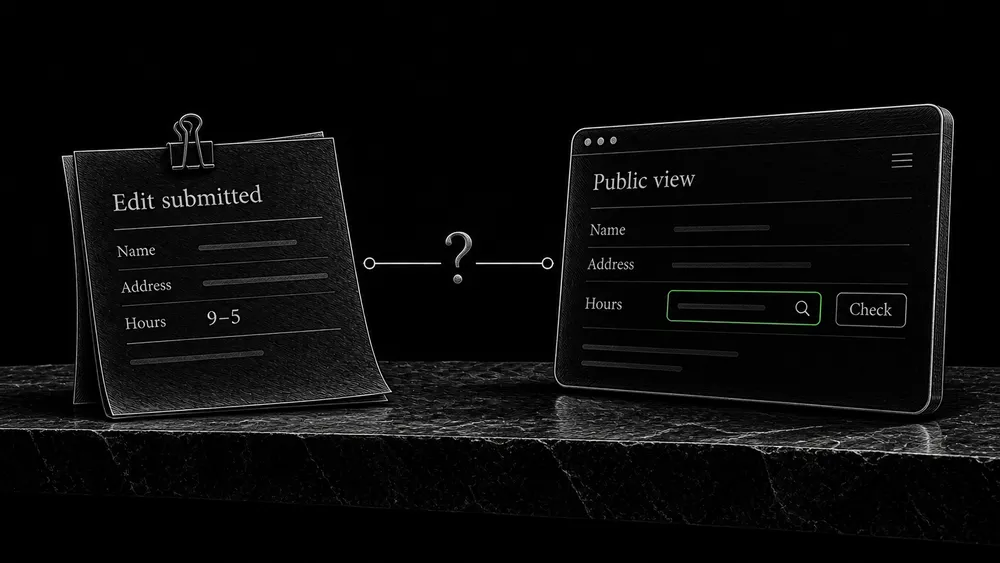
After the relevant information is published, inspect the profile as a customer. A saved edit is not the same as an approved public change.
Check the name, category, contact details, location or service-area presentation, hours, website destination, and media. Note any differences between the approved information pack and the public result.
Verify the destination and document completion status
Follow the website link and test the inquiry route. Verify that the destination describes the same business and service. A technically working link to a vague homepage may still leave the customer’s immediate question unanswered.
Keep a short completion record: profile URL, ownership confirmed, verification state, fields reviewed, corrections pending, and maintenance owner. It should be understandable without reopening every administration screen.
Define what happens after setup
The business may change its hours, services, address, or contact details. Assign responsibility for those changes and for checking consequential updates to the public record.
Review requests and replies are another responsibility, explained in Customer Reviews & Reputation. Performance observation is covered in Local SEO Measurement. Neither should silently become an unlimited obligation inside a one-time setup fee.
Theo can discuss profile setup alongside a new website or a defined existing-profile task. The useful deliverable is a truthful, manageable representation with a documented state, not a claim of permanent first-place visibility.
Frequently asked questions
Can you set up a profile if I only work online?
Eligibility must be checked first. A business with no qualifying in-person contact should not be given a fabricated local presence. Its website can still explain services and reach customers through appropriate channels.
Can I choose phone verification instead of video?
Use the methods offered for the actual profile. A provider should not promise a method that Google has not made available. Plan for the owner’s participation in the required process.
What if a previous developer controls the profile?
Identify the existing record and use the appropriate ownership process. Preserve evidence of the business relationship and avoid creating a competing profile as a shortcut. Access resolution may be a separate task from ordinary setup.
Should my profile link to the homepage?
Choose the page that best continues the customer’s journey and represents the relevant business or location. A complete location page can be appropriate for a real branch. The destination must be public, accurate, and usable.
Does a verified profile mean all information is correct?
No. Review the public fields and links against the approved business facts. Verification, edit approval, and factual accuracy are separate matters.
Is ongoing management included automatically?
No. Agree on responsibility for updates, reviews, reporting, and access after setup. The client should retain control whether or not continuing work is arranged.
Prepare your Google Business Profile properly
Share the business model, existing profile if any, and current access or verification state. You can describe the issue in ordinary language; account passwords are not needed in the initial brief.